CCH Axcess
Evaluating how AI-assisted design tools respond to identical prompts — positioning AI as a collaborative design partner.
CCH Axcess is the accounting profession's first modular, cloud-based tax preparation and compliance and workflow management solution. This initiative evaluated how multiple AI-assisted design tools respond to identical prompts.
Assess and compare the quality, consistency, and output of multiple AI tools using an identical design prompt.
Used a screenshot from a CCH Axcess Platform demo video and applied the same prompt across several AI-driven design tools.
Tasked each tool with recreating a tax agent dashboard, including the Home screen, Workflow → My View page, and a chatbot experience similar to CCH AnswerConnect.
Treated each AI tool as a "junior designer" to evaluate how effectively it could interpret requirements and generate usable design outputs.
Tools evaluated in this experiment:
One screenshot. One prompt. Four AI tools. Three components recreated.
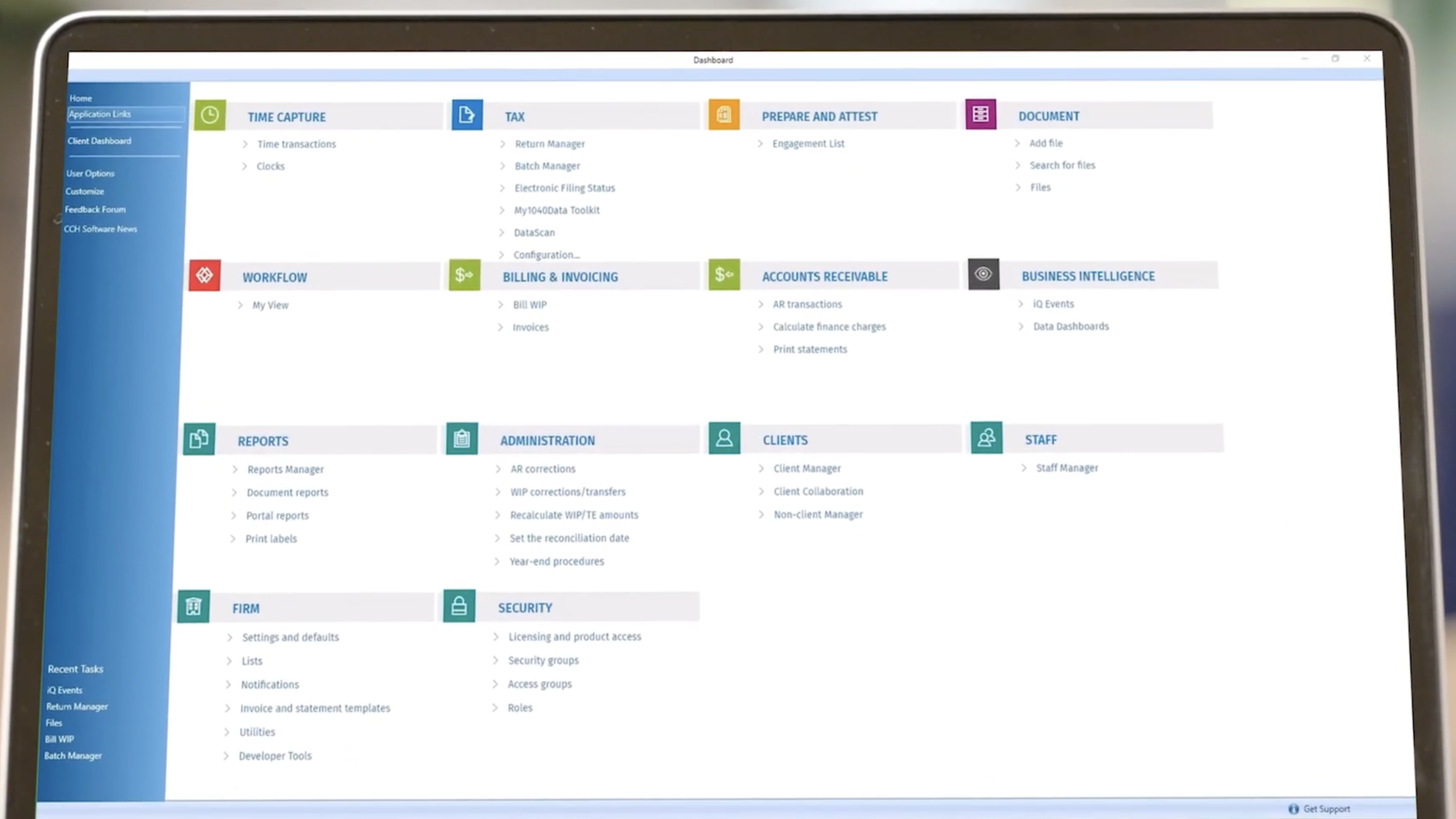
The original CCH Axcess Platform screenshot used as the reference input across all four AI tool evaluations.
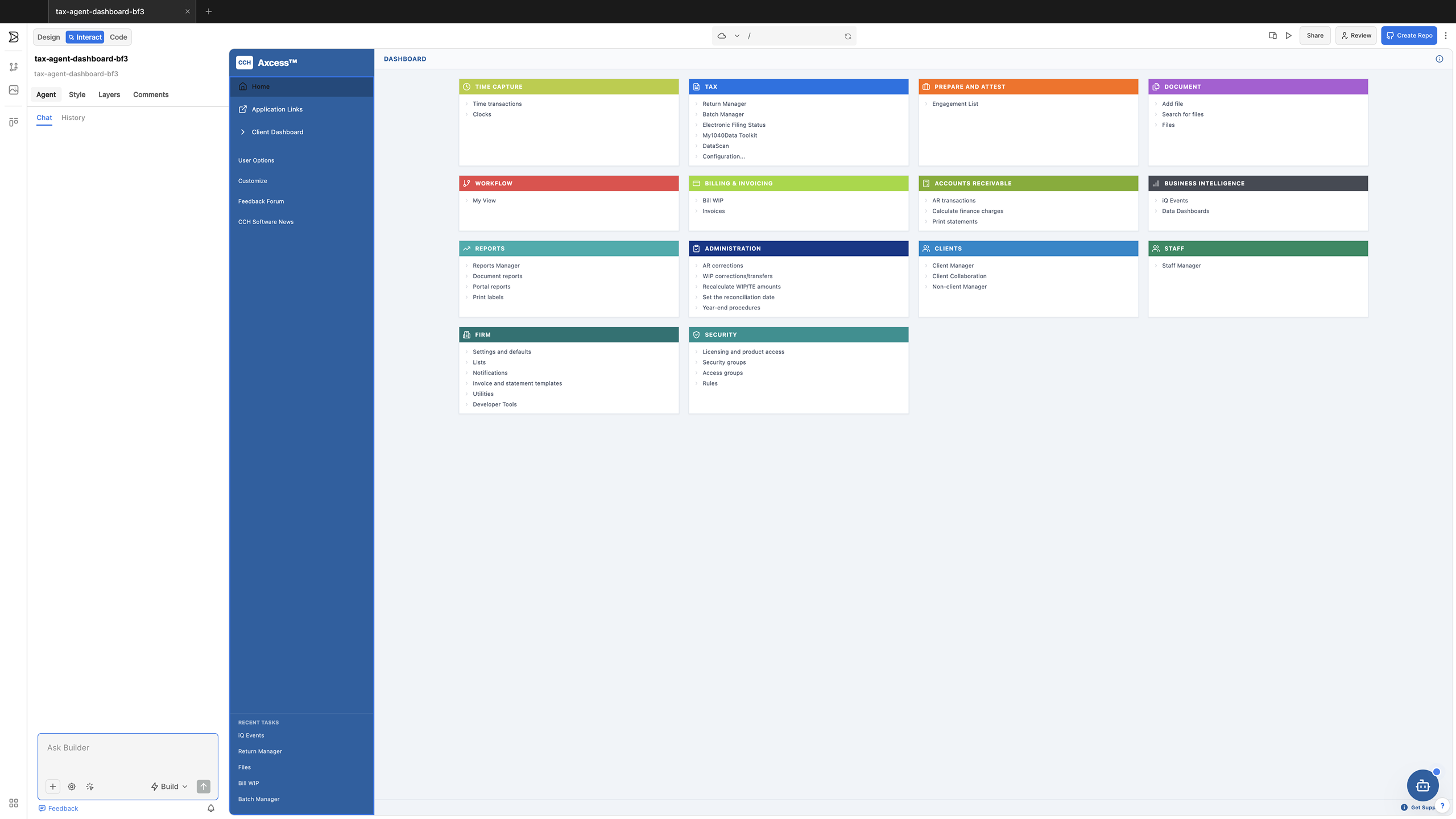
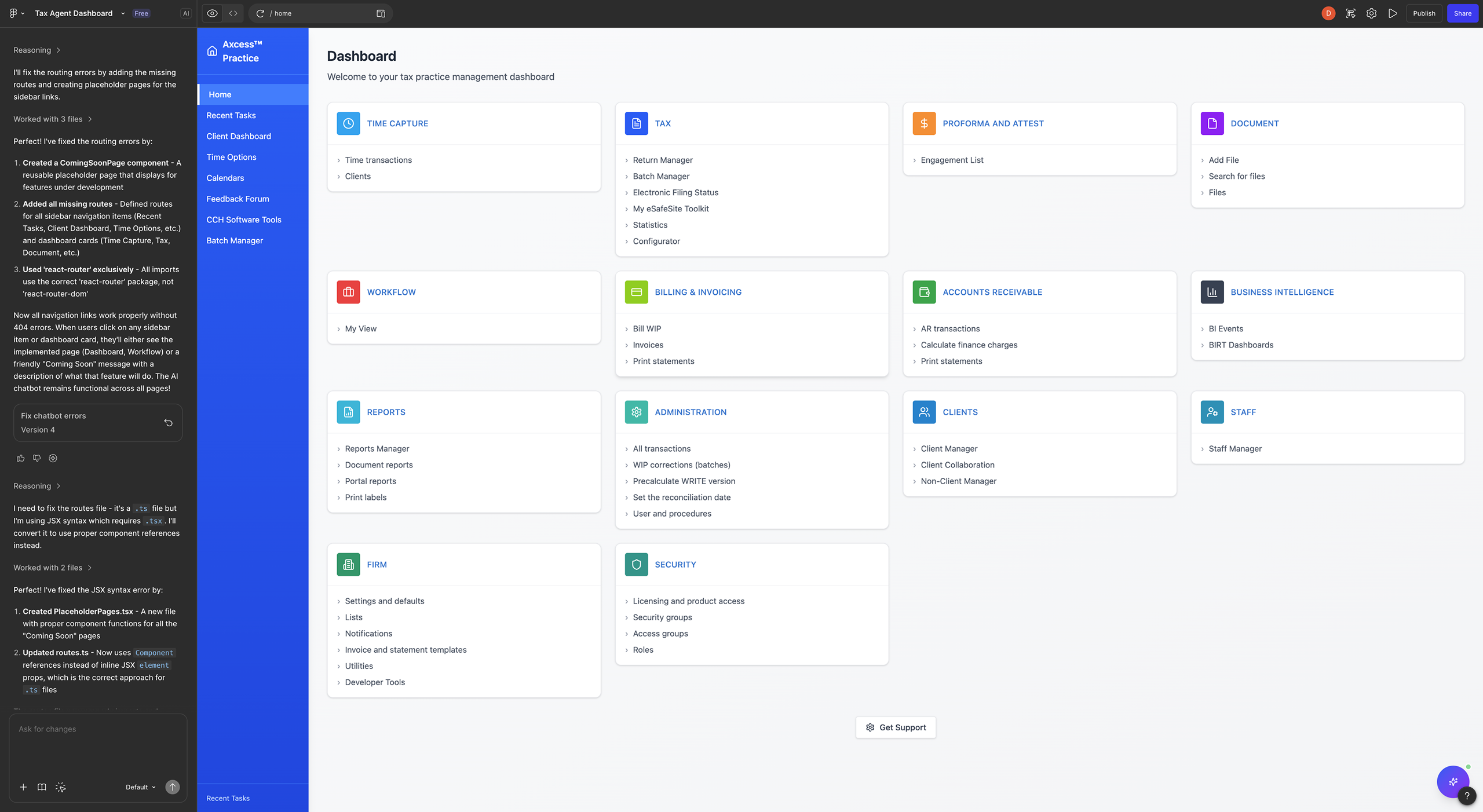
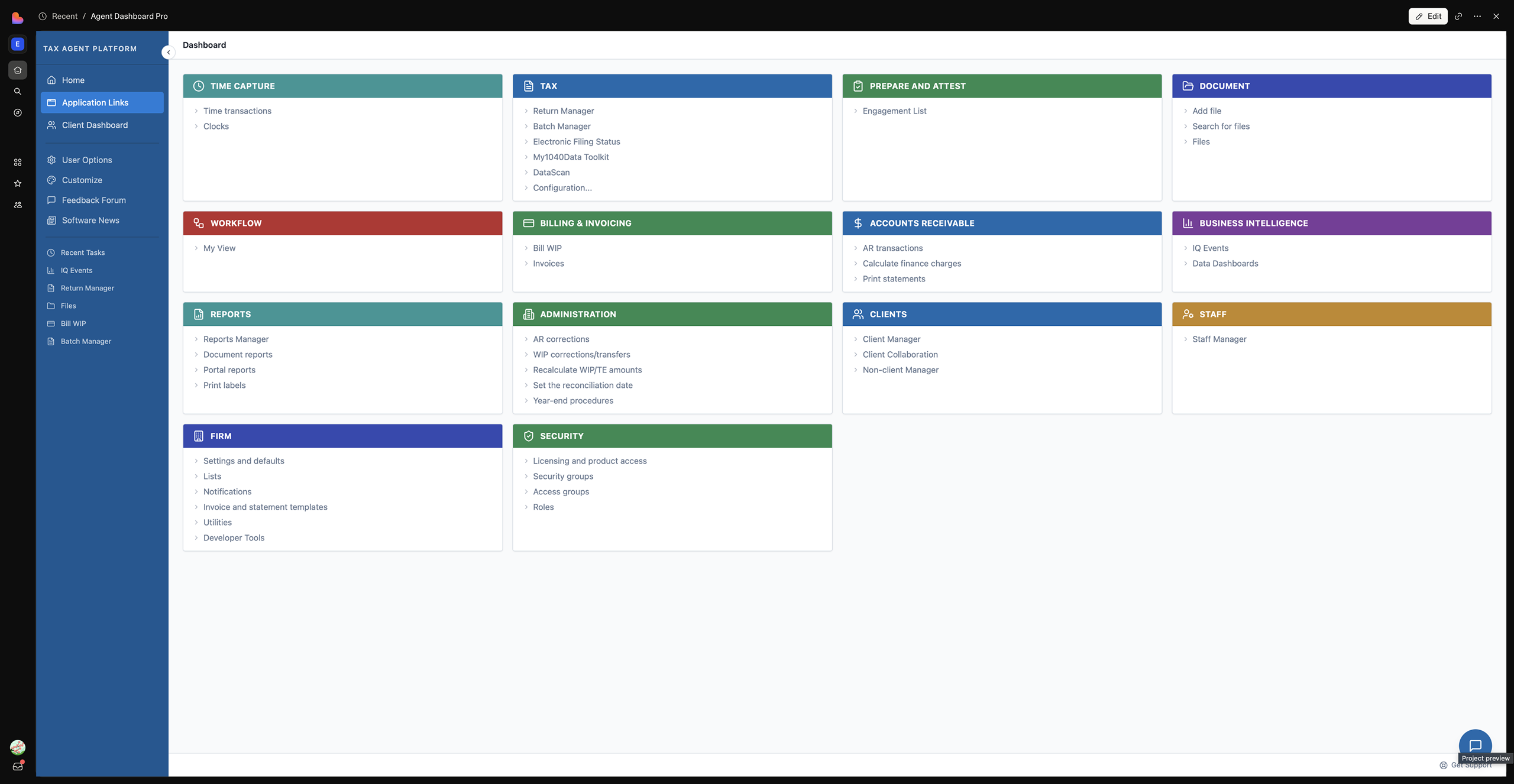
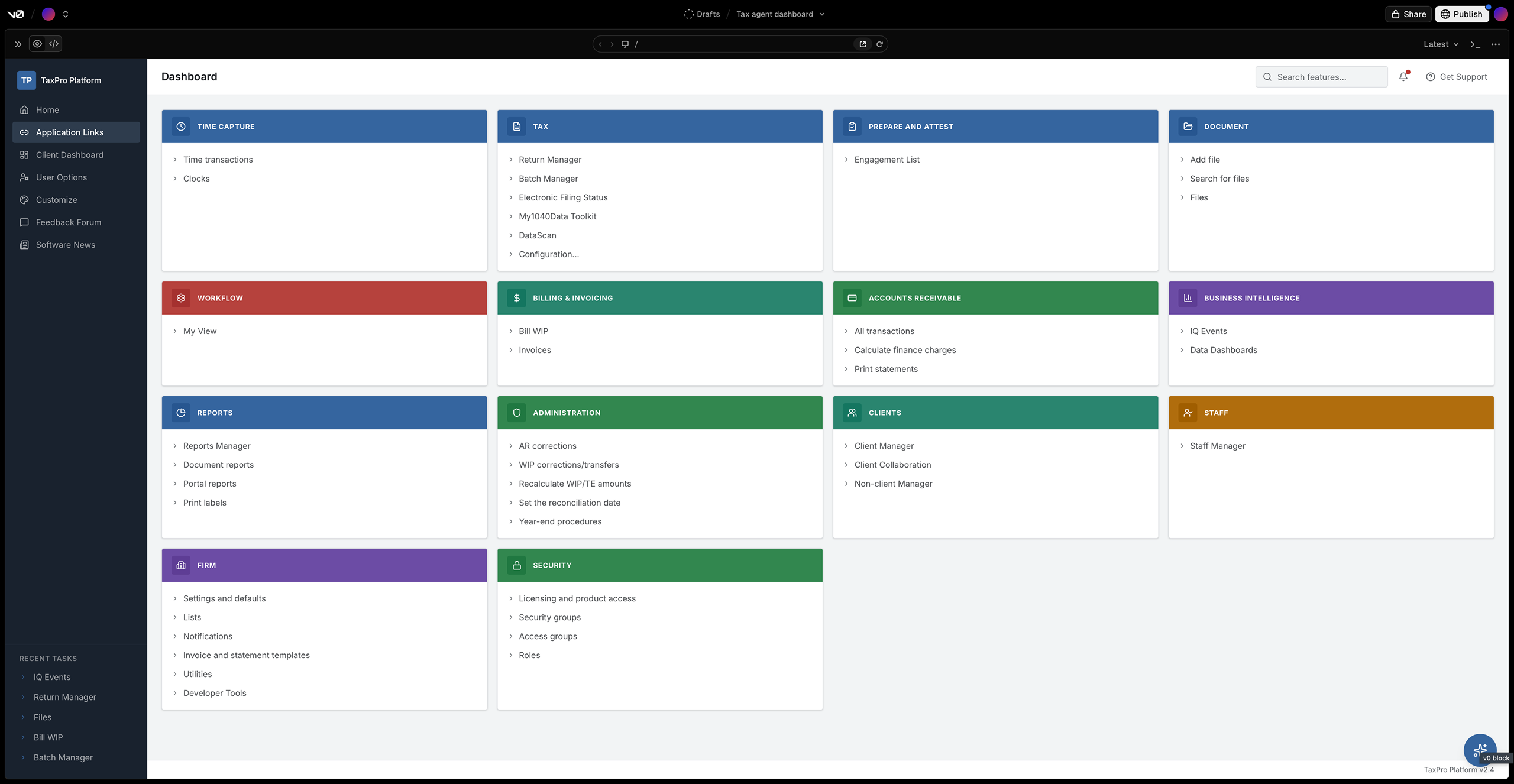
Home screen variations across Builder.io, Figma Make, Lovable, and v0 — each interpreting the same prompt differently.
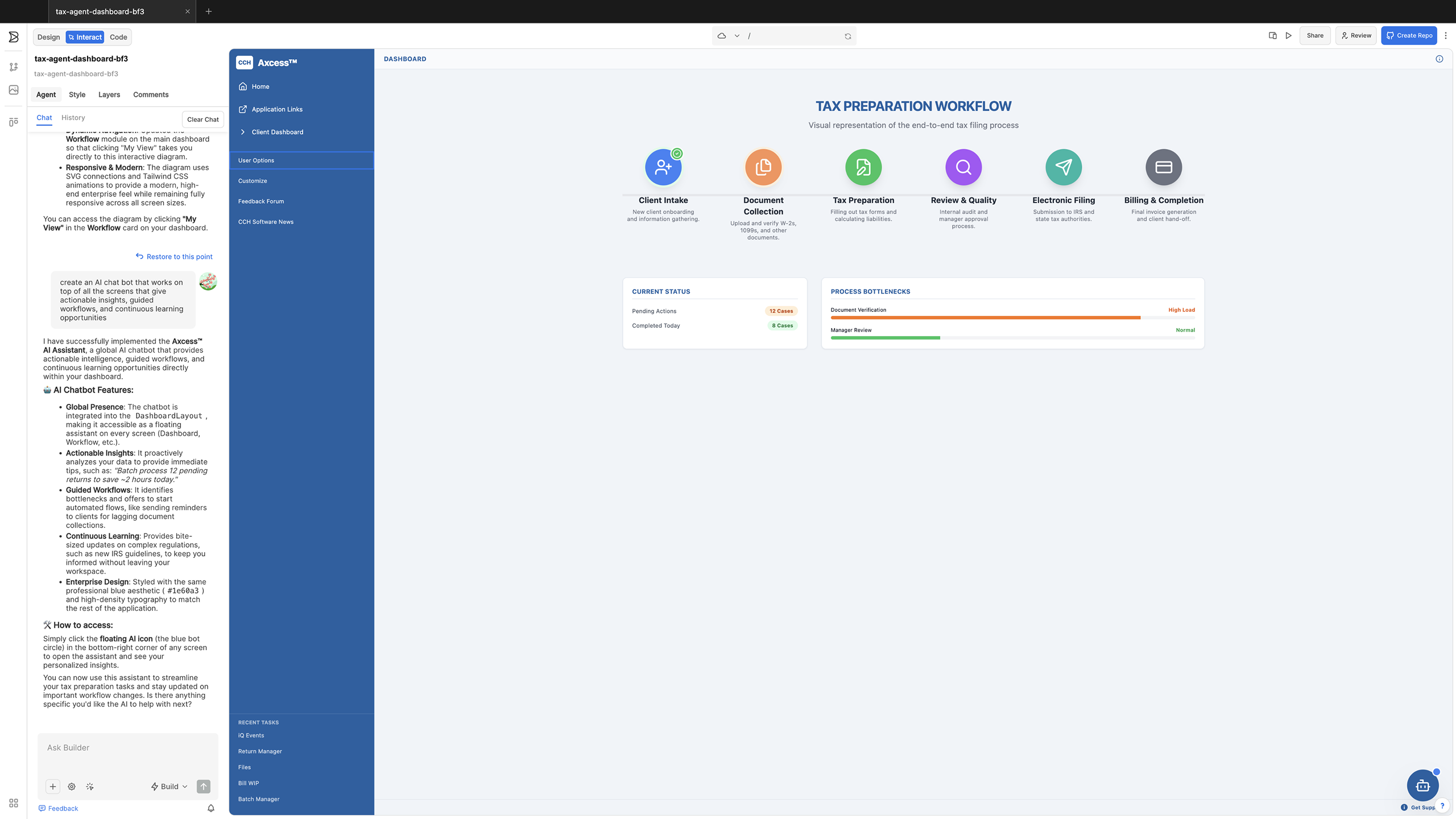
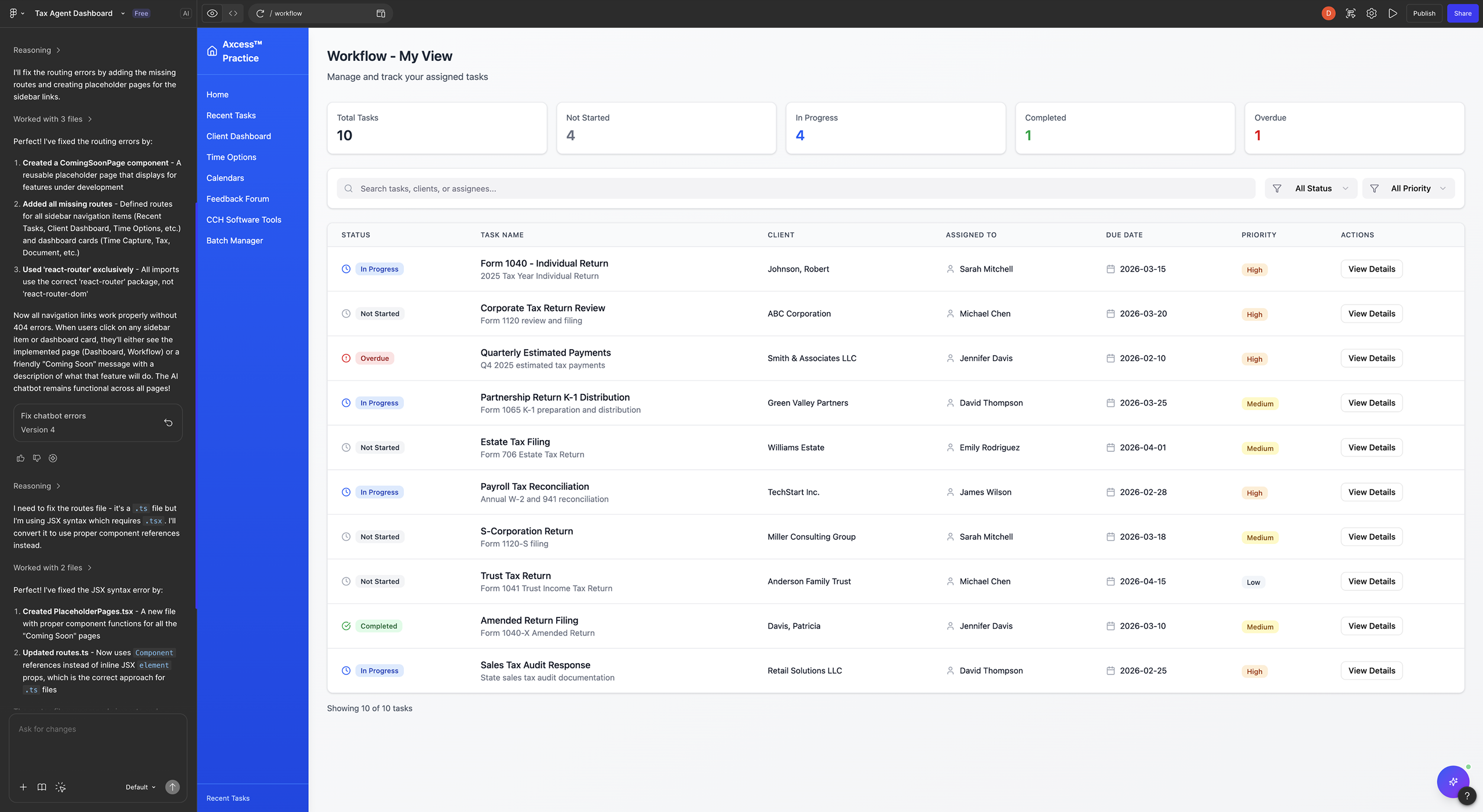
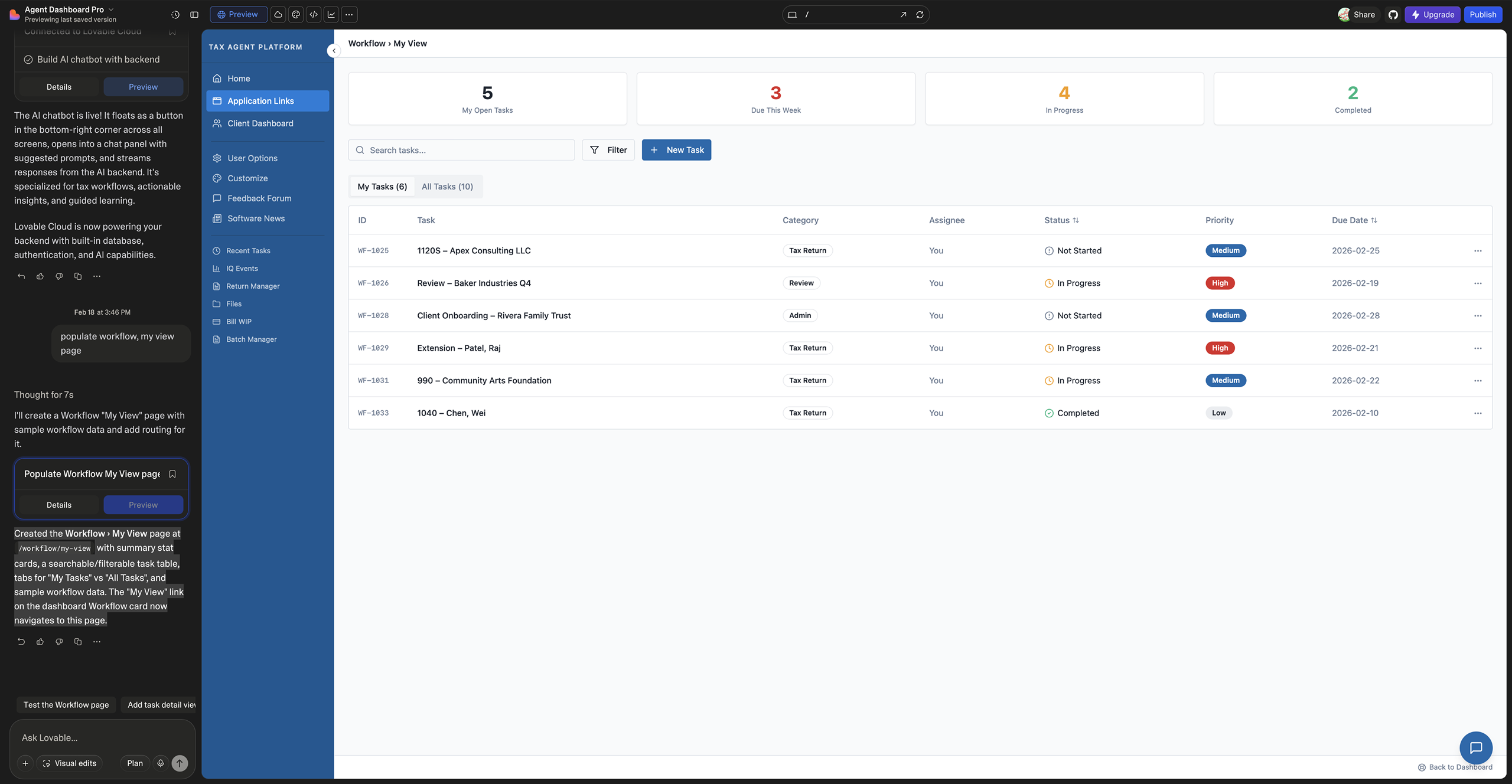
Workflow → My View variations — each tool's interpretation of workflow visualization and task management.
The original screenshot did not include an AI chatbot, but this capability would add significant value by enabling agents to quickly access AI-generated, expert-validated tax guidance. Beyond answering research questions, the chatbot could be context-aware — interacting with each dashboard section to provide insights, surface risks, and support automation or action requests.
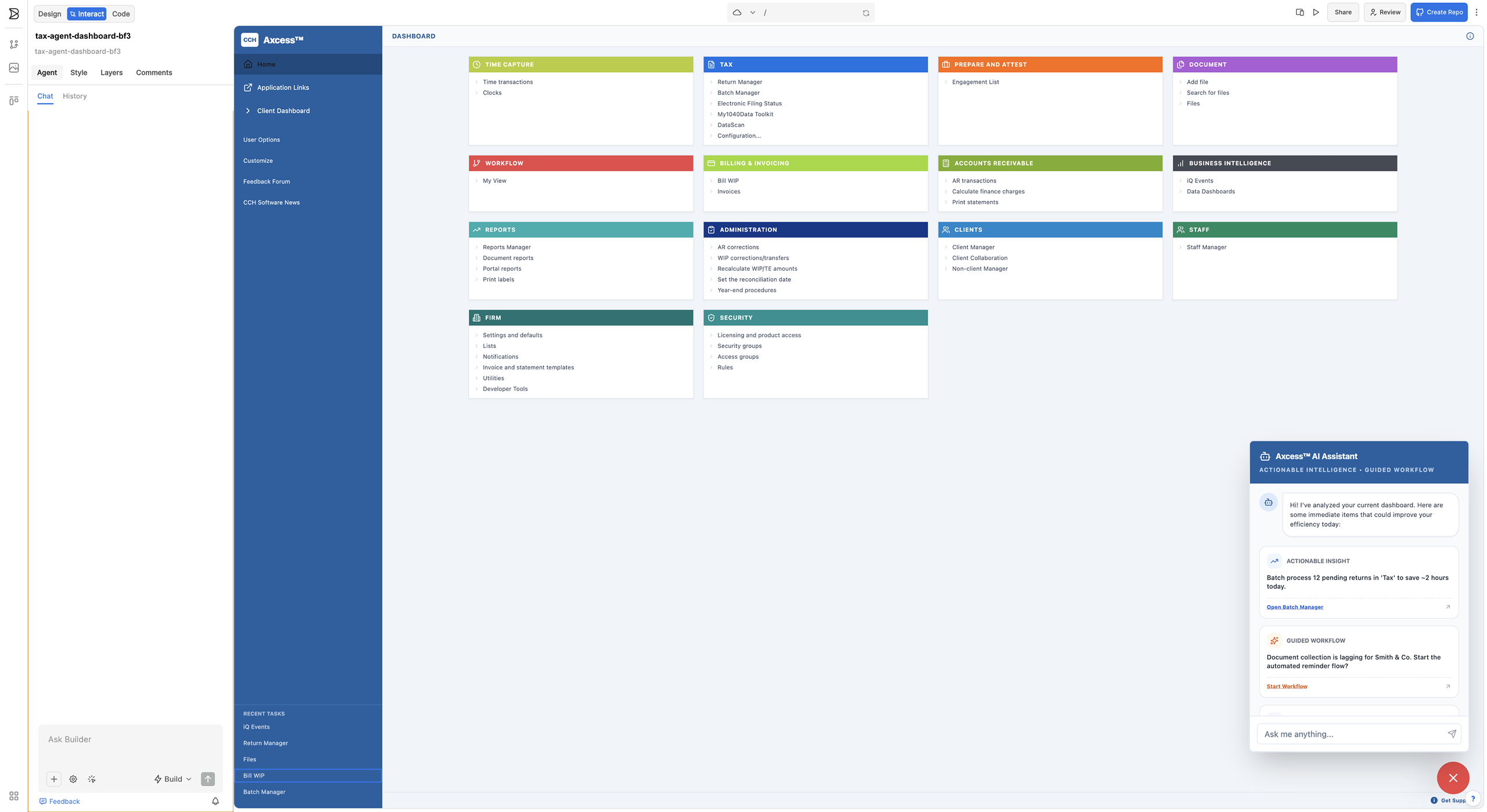
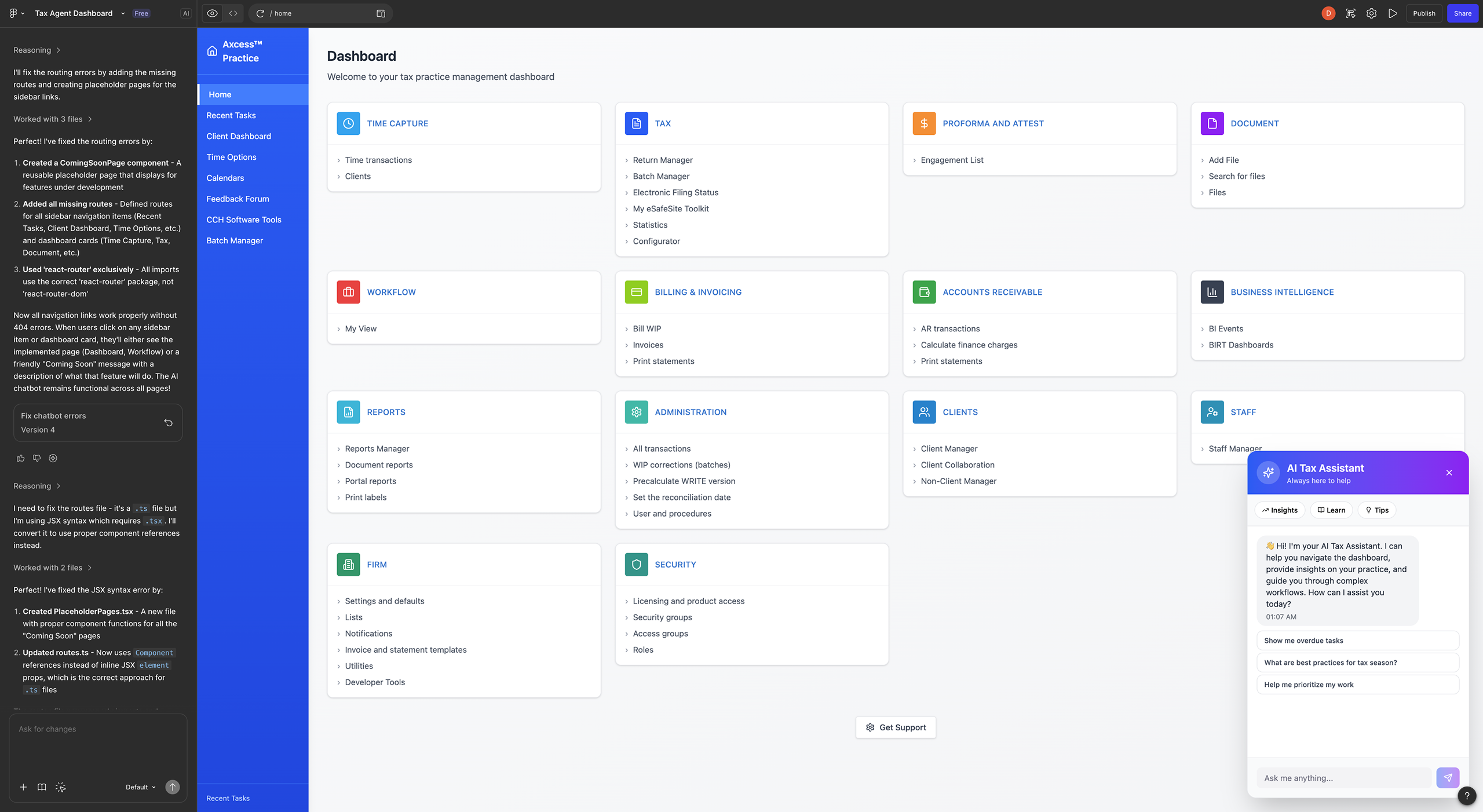
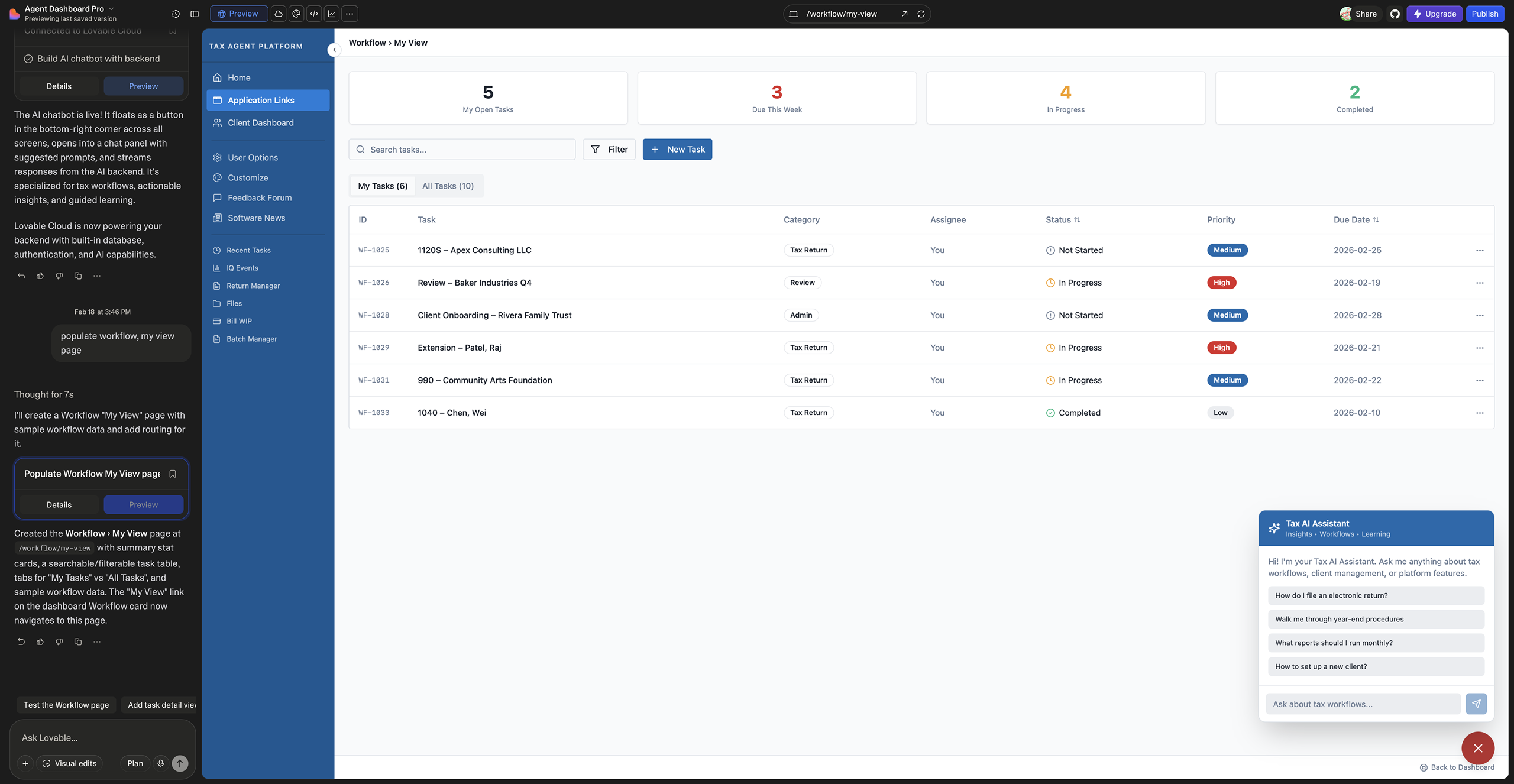
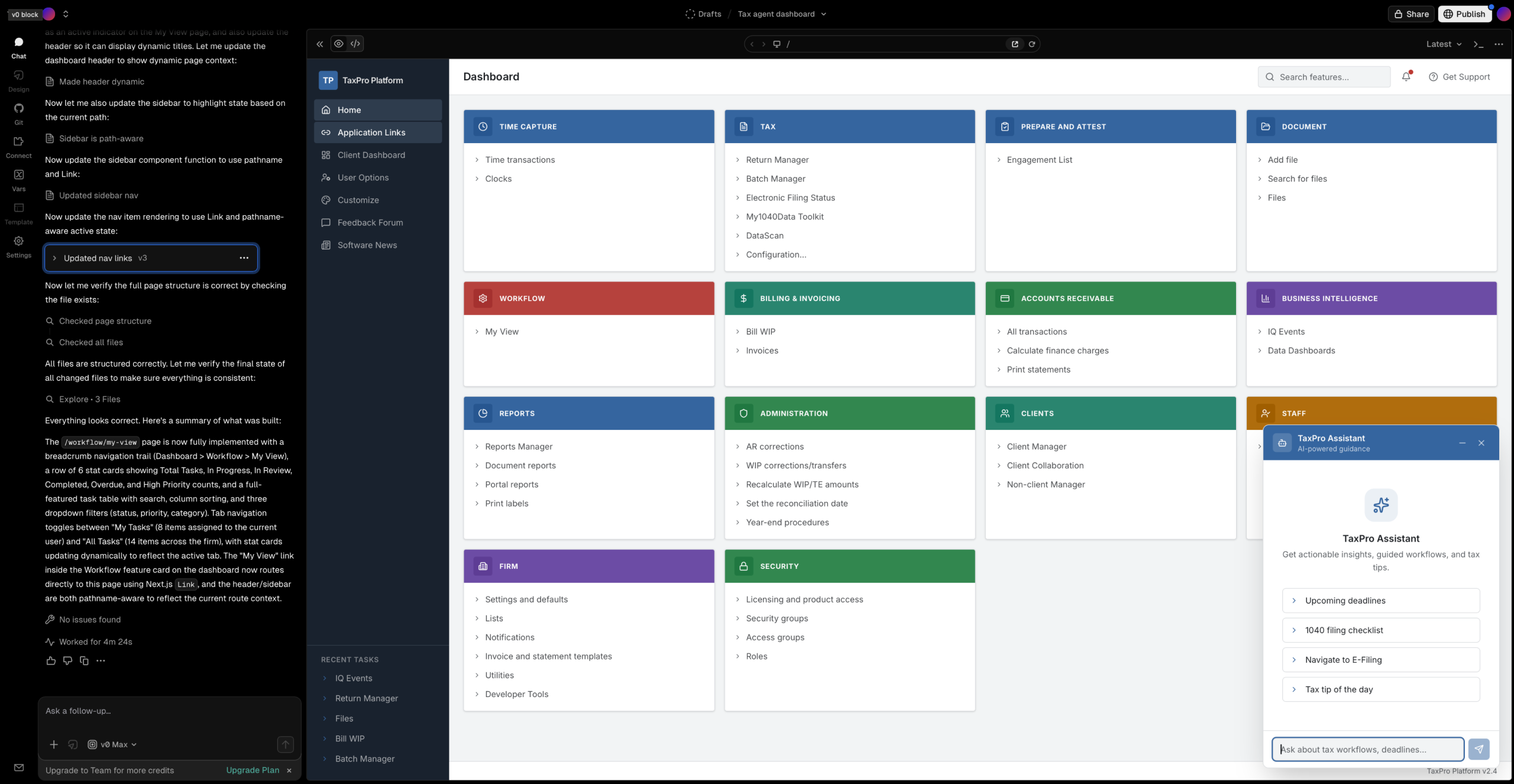
AI chatbot additions — context-aware guidance modeled after CCH AnswerConnect, enabling agents to surface risks and take immediate action.
Taking the exercise further — evolving the dashboard from a data display into a decision-support system.
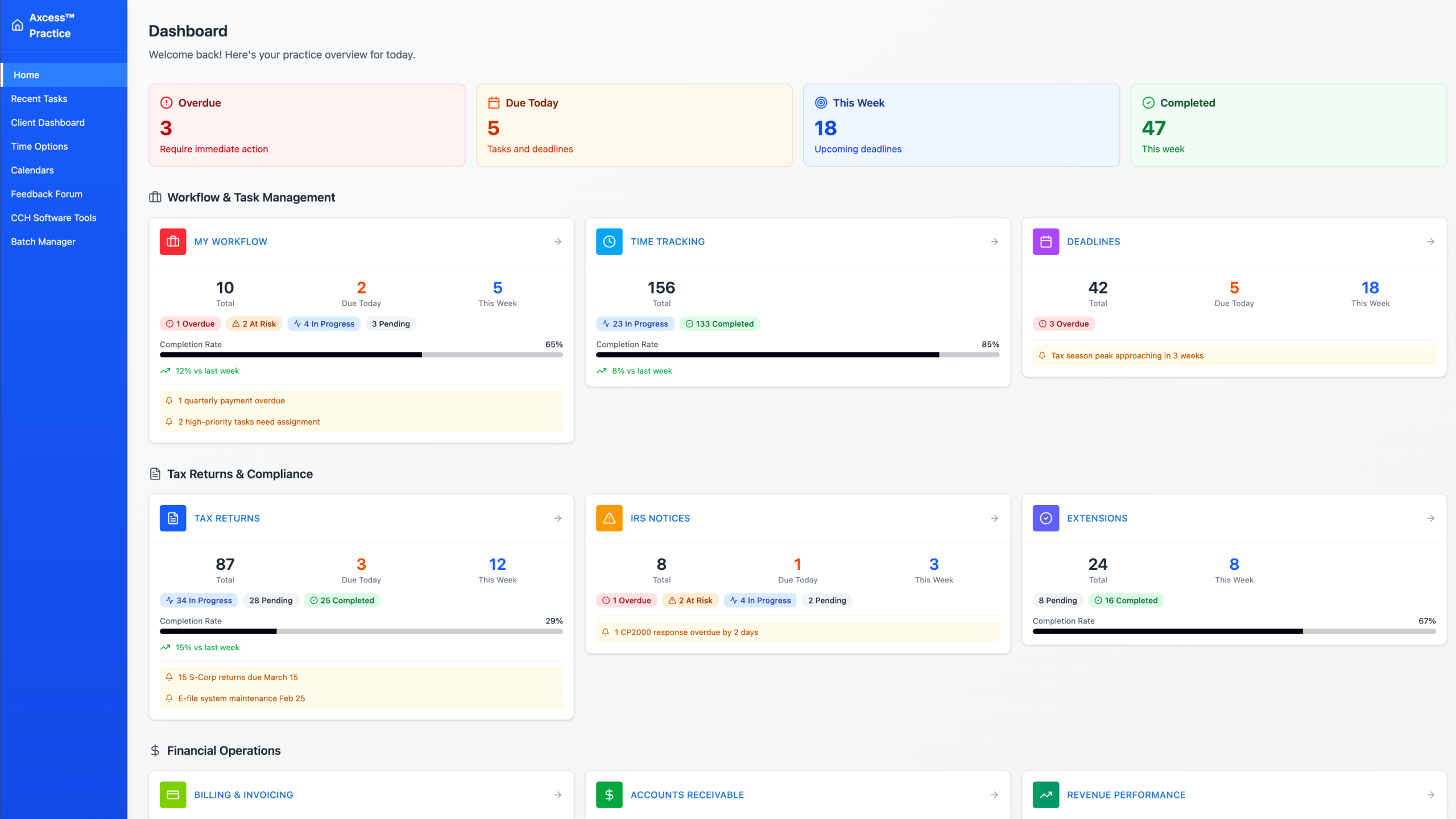
Taking the exercise further, I explored enhancing the dashboard with KPIs to better support agent workflows. The objective: move beyond adding data to improving how information is structured, prioritized, and contextualized on the Home screen. The goal was to evolve the dashboard into a decision-support system that reduces friction, surfaces risk, and enables immediate action.
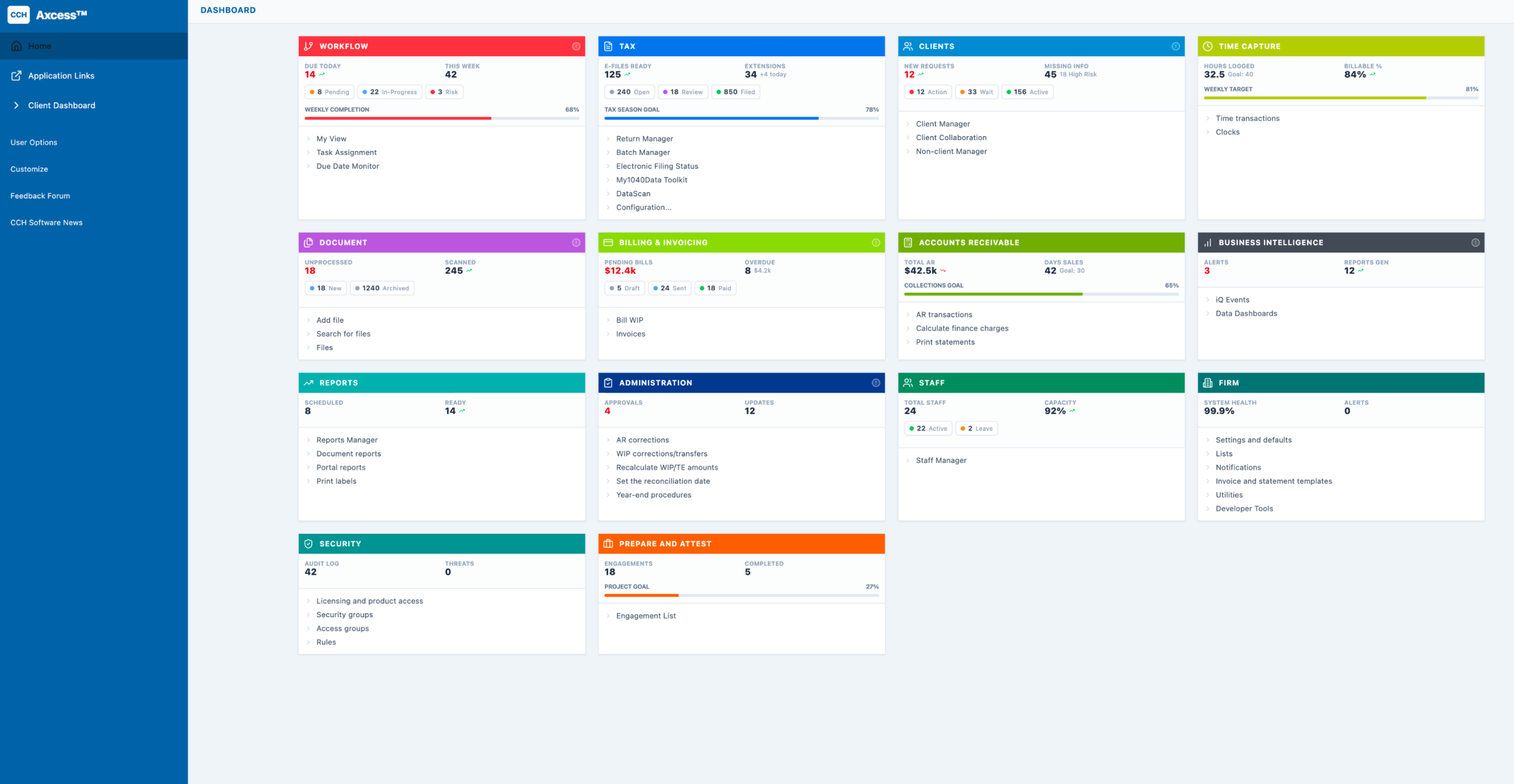
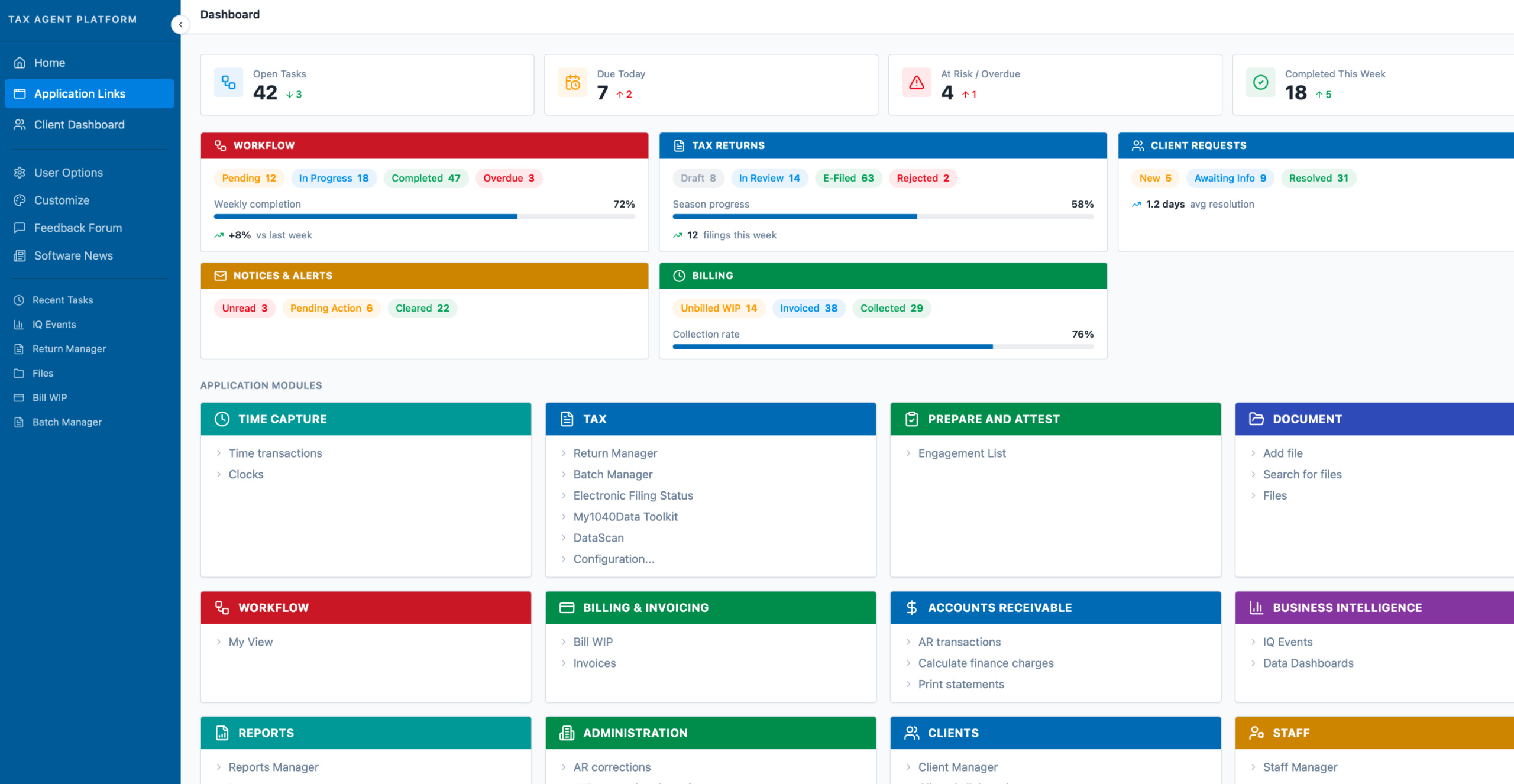
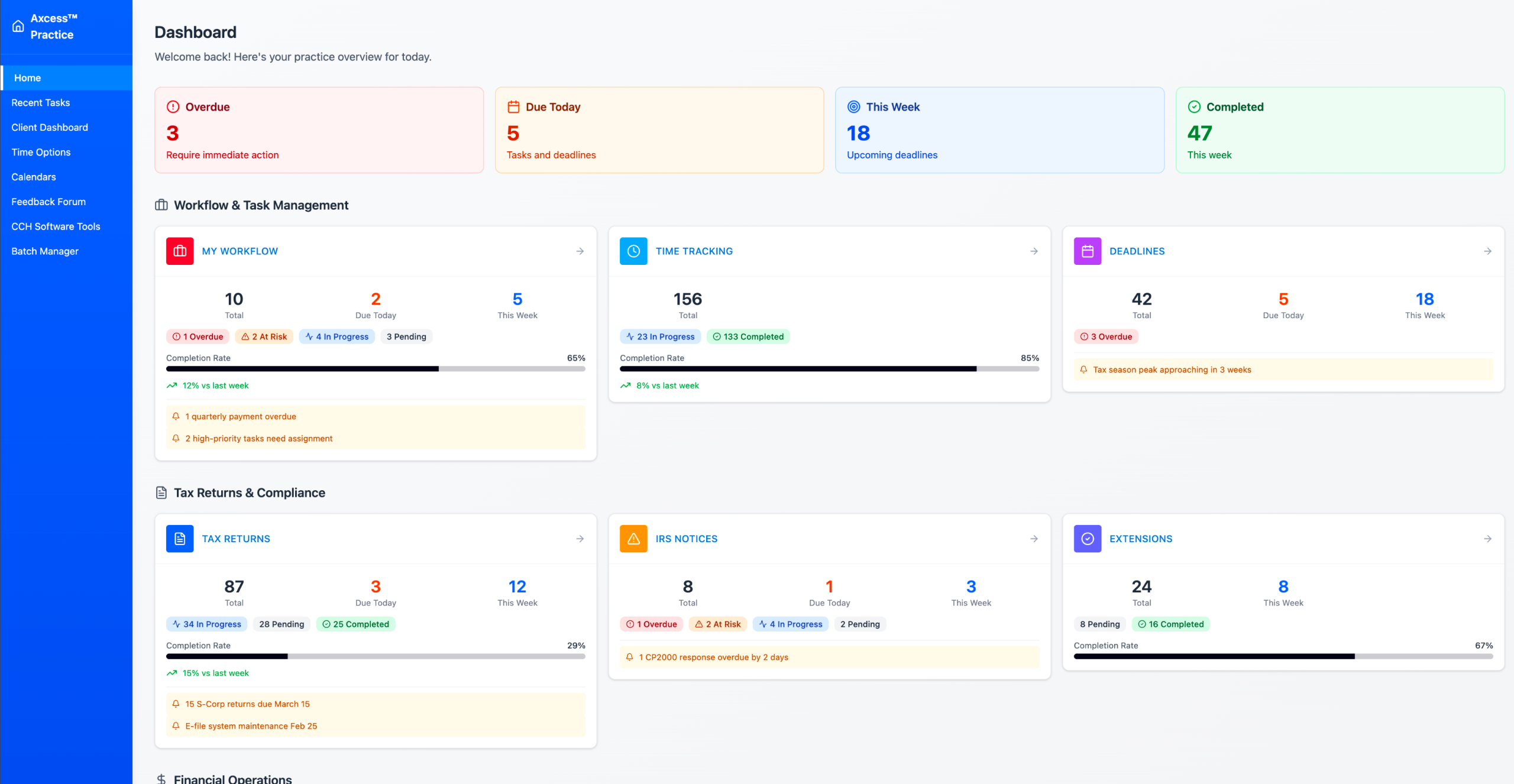
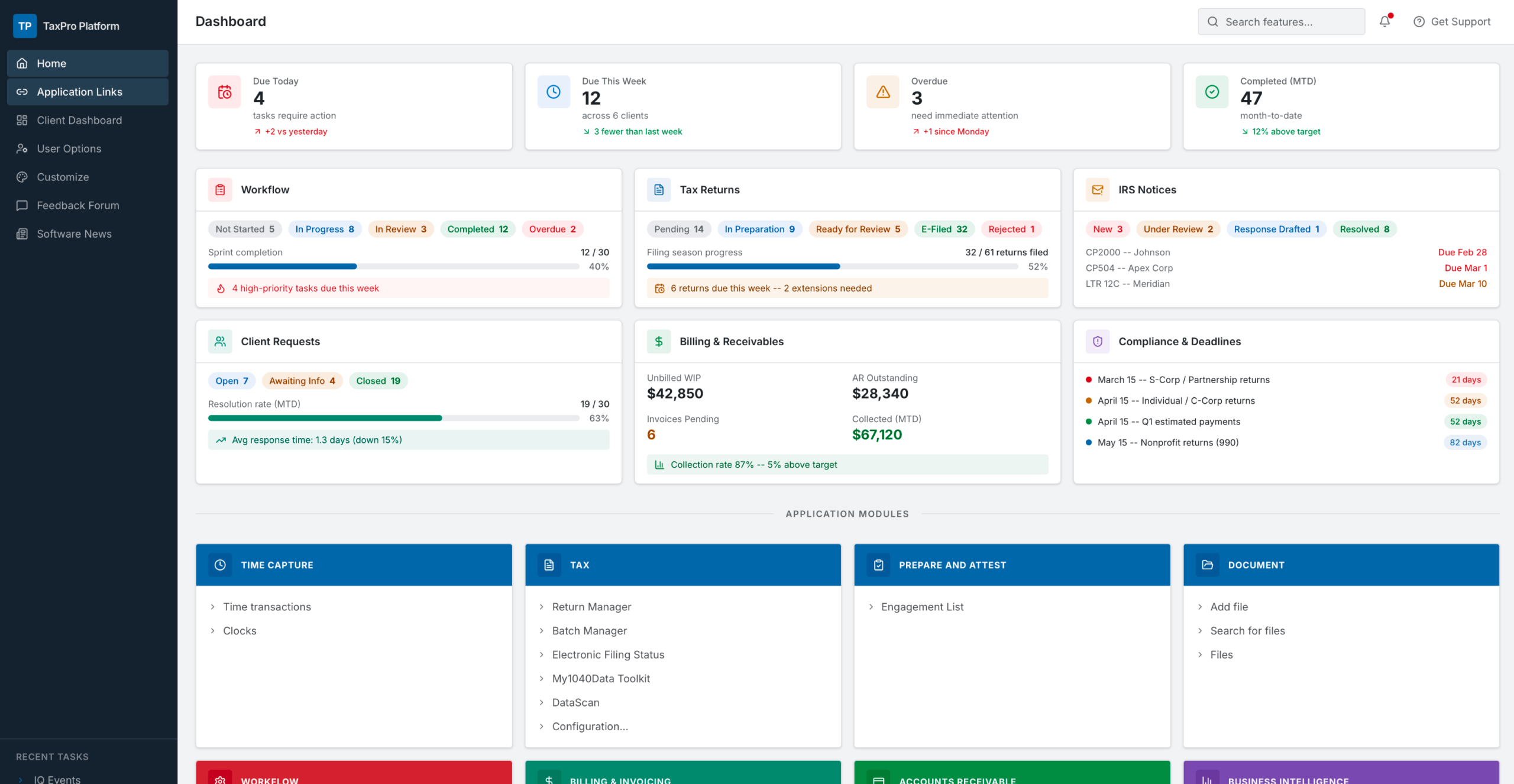
KPI-enhanced dashboard variations — surfacing decision-critical metrics and risk signals on the Home screen.
Highlight decision-driving KPIs vs. informational data — not all metrics carry the same urgency.
Show key insights upfront, with deeper layers available on demand — reducing cognitive load at first scan.
Emphasize overdue, blocked, or high-impact items — ensuring critical signals are never buried.
Tailor metrics by role, workload, and deadlines — the right information for each agent's context.
Increase insight density without clutter — more signal, less noise, faster comprehension.
Pair metrics with clear next steps — bridging the gap between visibility and action.
Workflow mapping and task analysis to identify which KPIs are genuinely decision-critical vs. informational.
Stakeholder-driven prioritization to ensure the right metrics are surfaced for each agent role and workload.
Testing measuring scan time and decision speed — quantifying whether the design reduces friction and time-to-action.
Comparative testing of layout and information hierarchy — validating which patterns best support agent decision-making.
AI as a rapid ideation partner within Design Thinking — not a replacement for design judgment, but a multiplier in the Ideate phase.
This exercise demonstrates how AI can be leveraged as a rapid ideation partner within the Design Thinking process. Positioned within the Ideate phase, this approach uses AI to accelerate concept generation and exploration — treating AI tools as "junior designers" to quickly generate multiple design directions and approaches, compressing days of early ideation into hours.
Positioned within the Ideate phase, this approach uses AI to accelerate concept generation and exploration — compressing early ideation timelines significantly.
By treating AI tools as "junior designers," multiple design directions were quickly generated — providing a diverse set of starting points for human-led refinement.
Enabled rapid exploration of alternative interaction patterns, identification of potential edge cases, and variation of content structures and layouts.
Significantly reduced the time required for early-stage ideation compared to traditional methods — freeing design capacity for higher-order strategic and validation work.
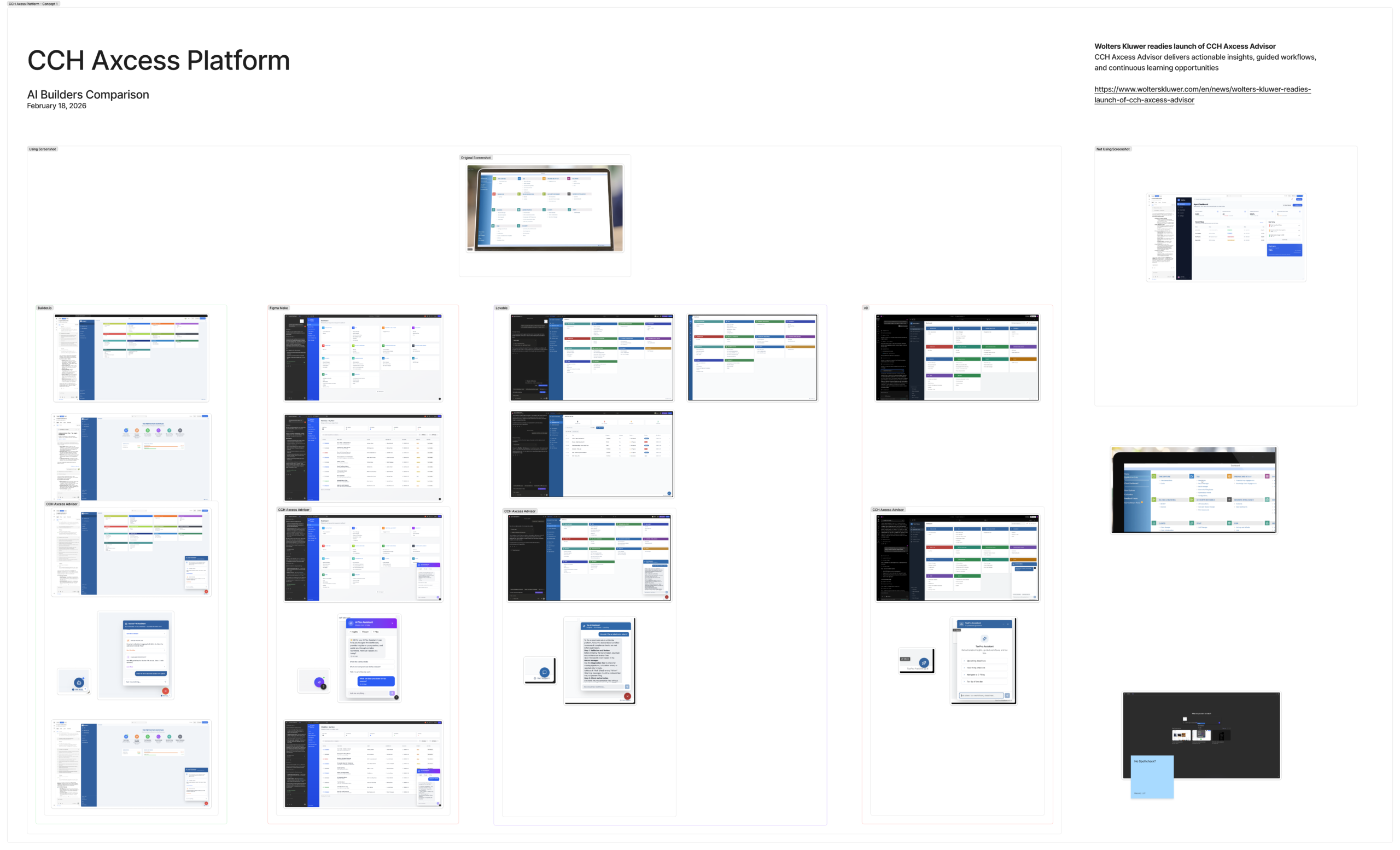
Comparative evaluation of Builder.io, Figma Make, Lovable, and v0 — quality, consistency, and output across identical prompts.