
CCH Axcess
CLIENT
Wolters Kluwer
ROLE
Design Director
YEAR
February 2026
Overview
CCH Axcess is the accounting profession's first modular, cloud-based tax preparation and compliance and workflow management solution..
Goal
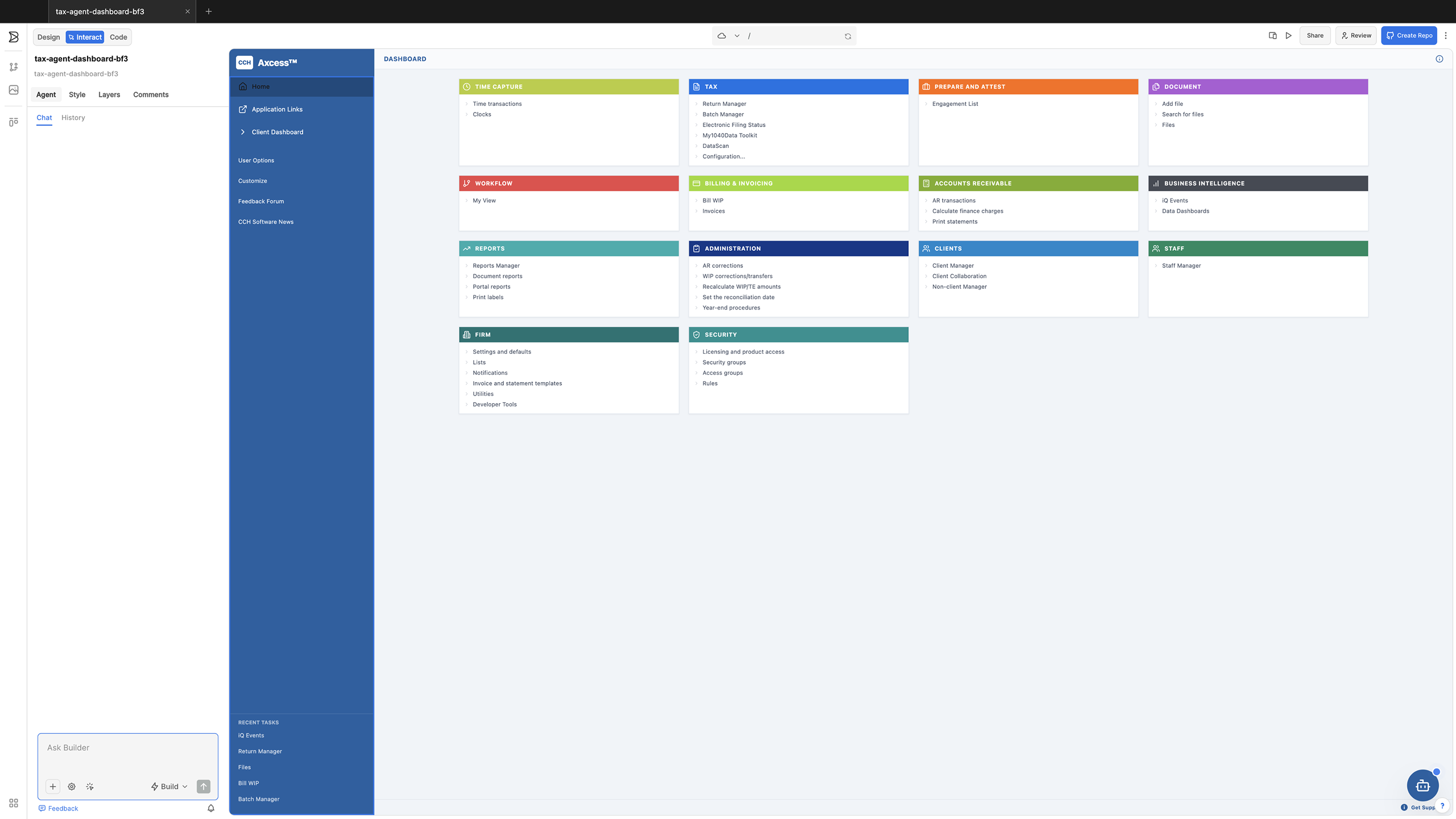
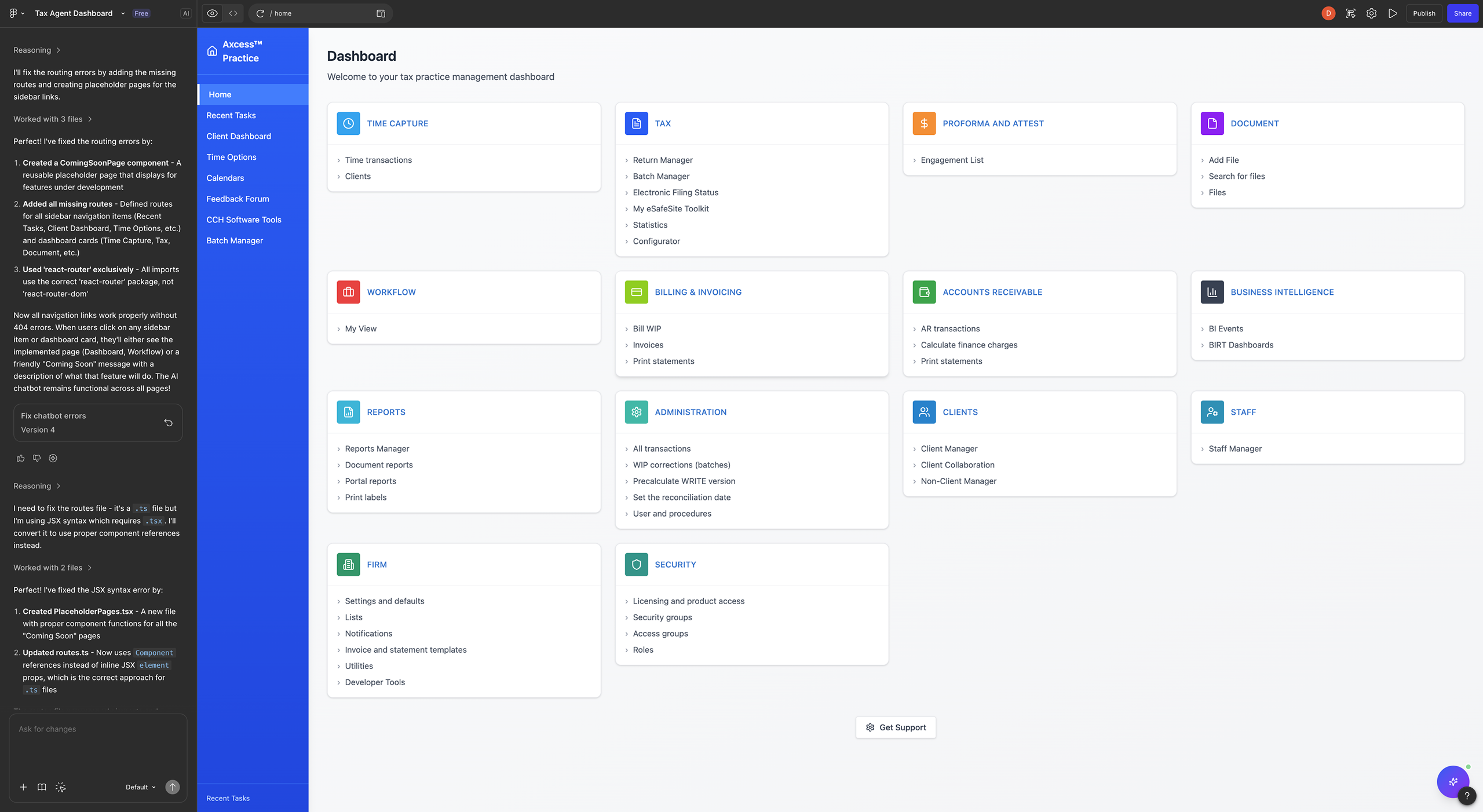
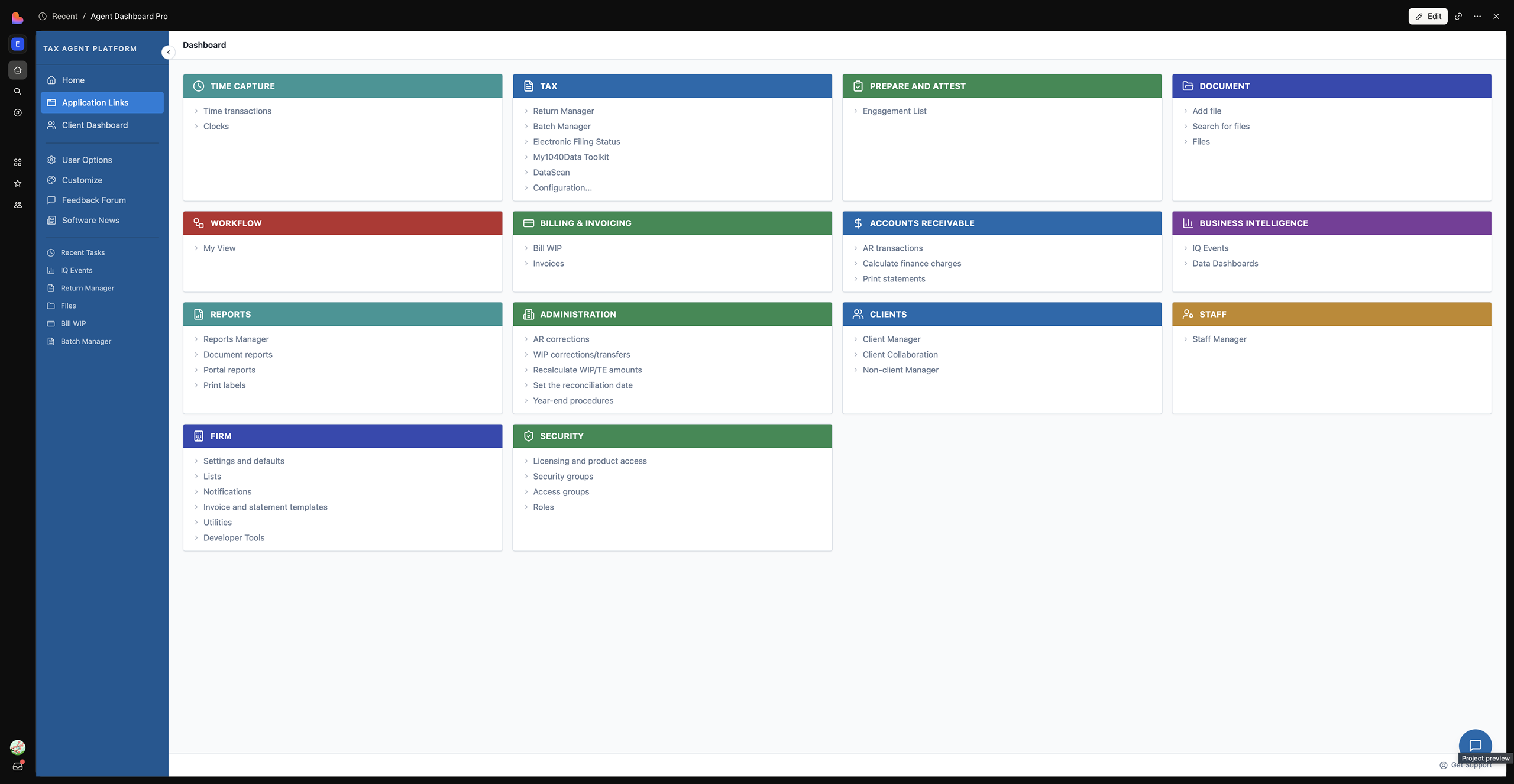
Evaluated how AI-assisted design tools respond to the same prompt by positioning AI as a design assistant:
Objective
Assess and compare the quality, consistency, and output of multiple AI tools using an identical design prompt.
Methodology
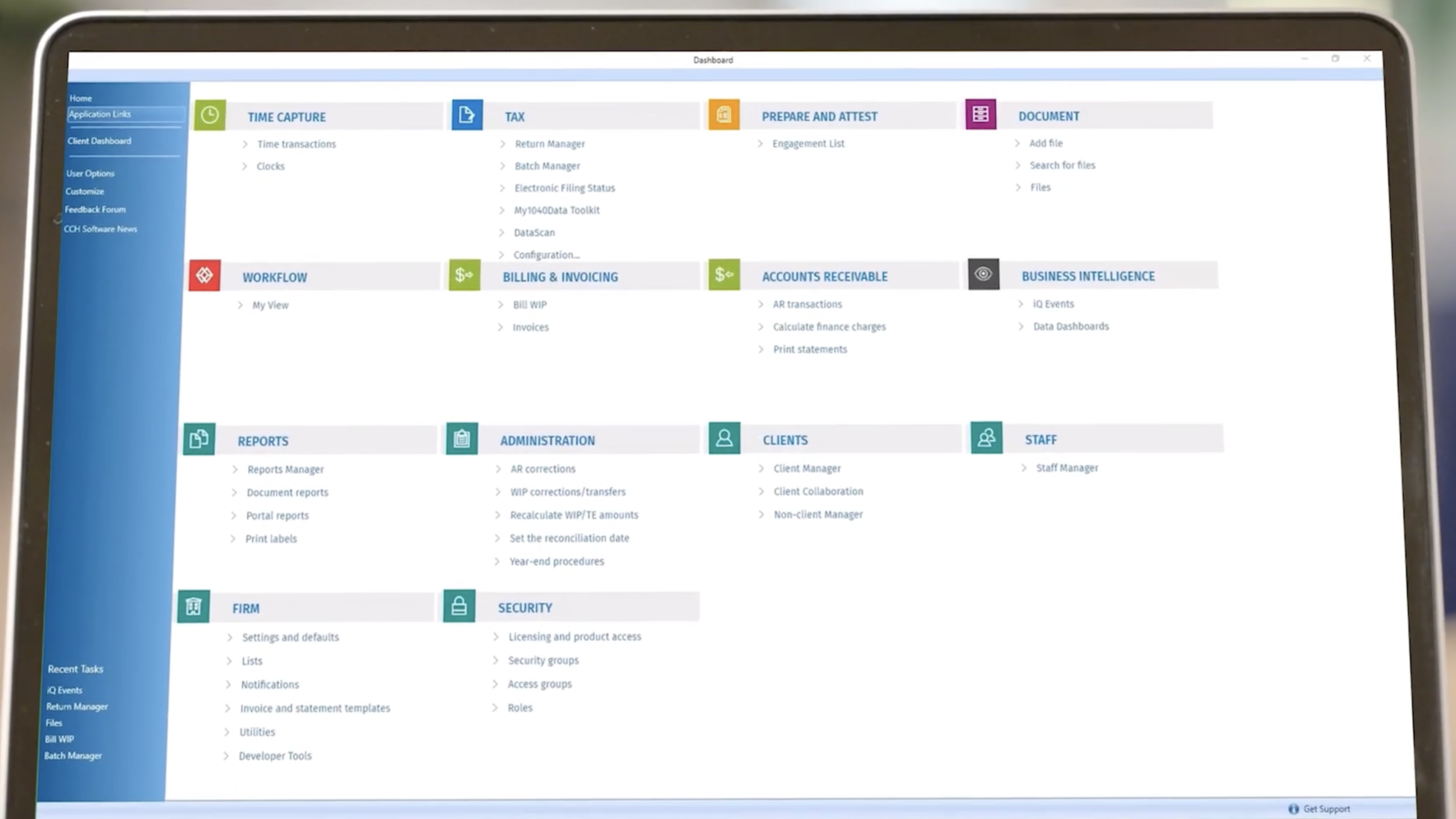
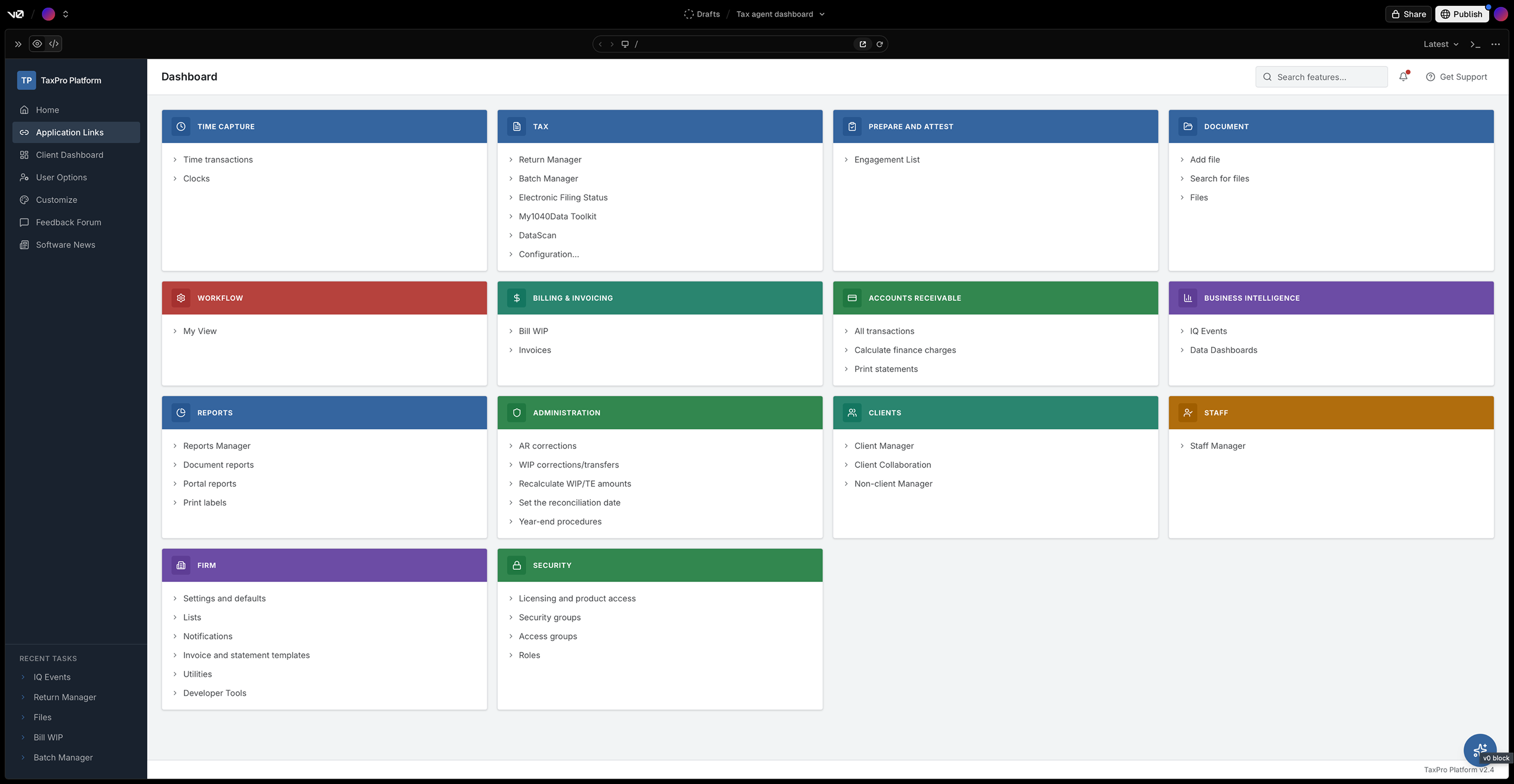
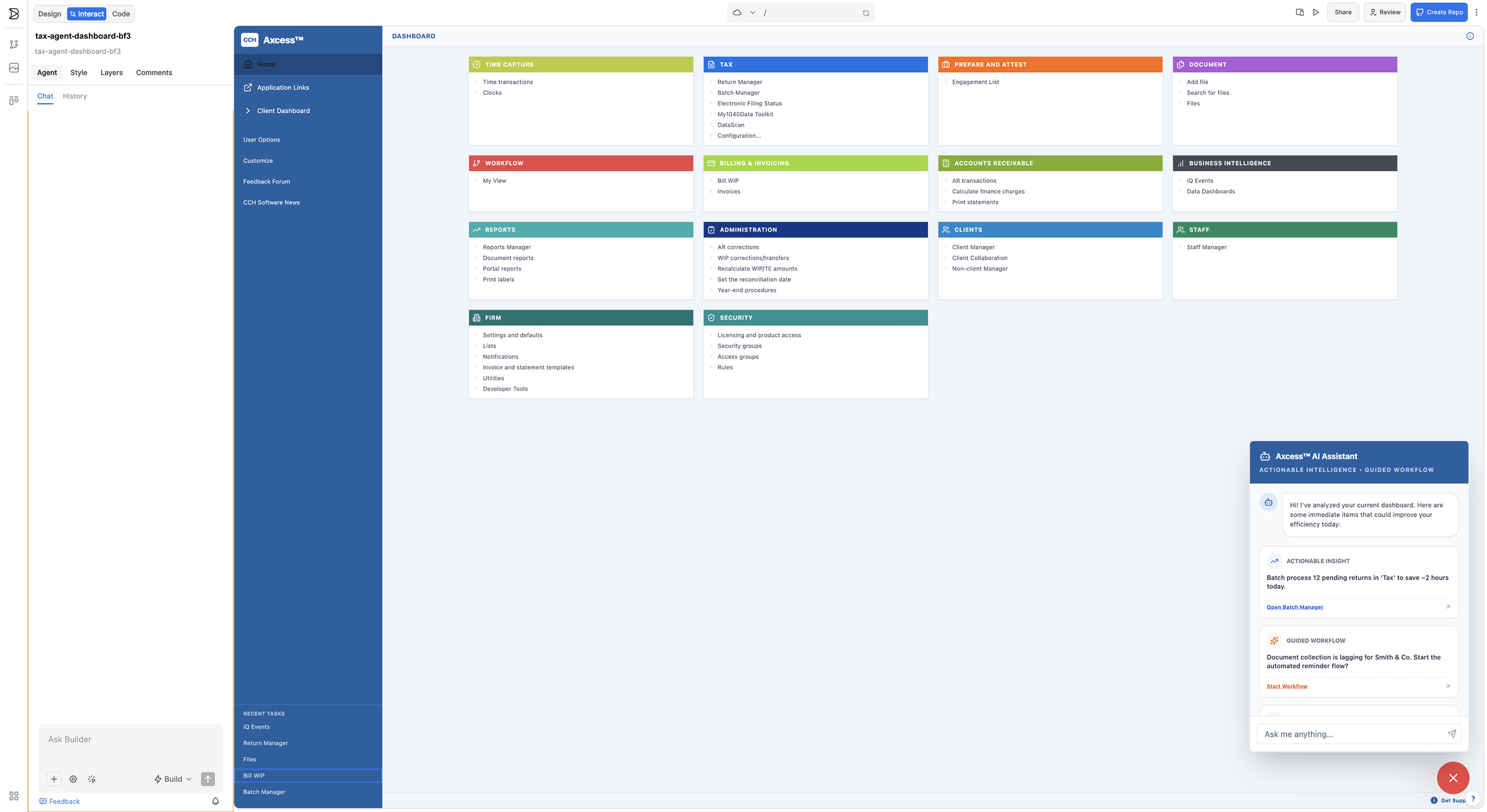
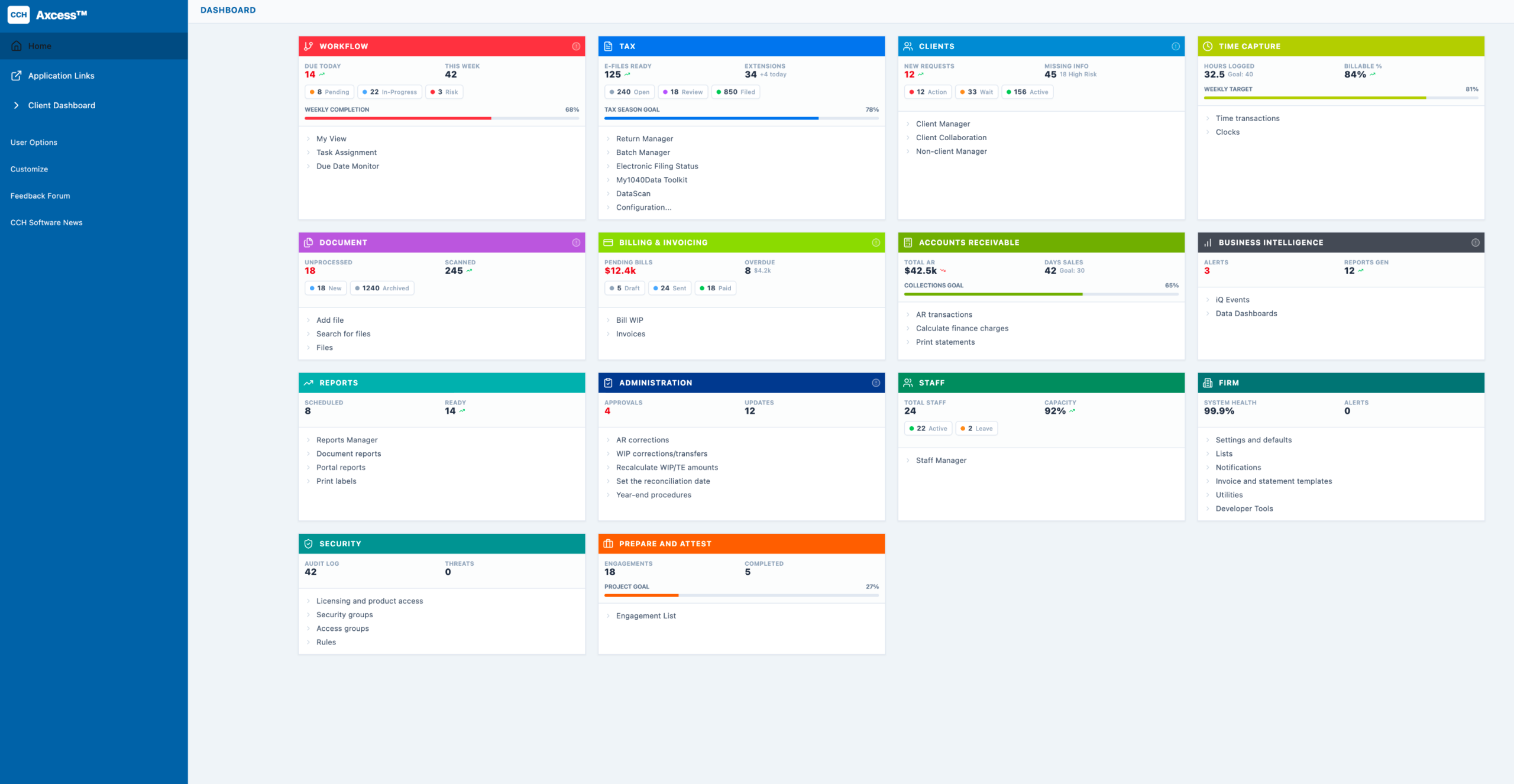
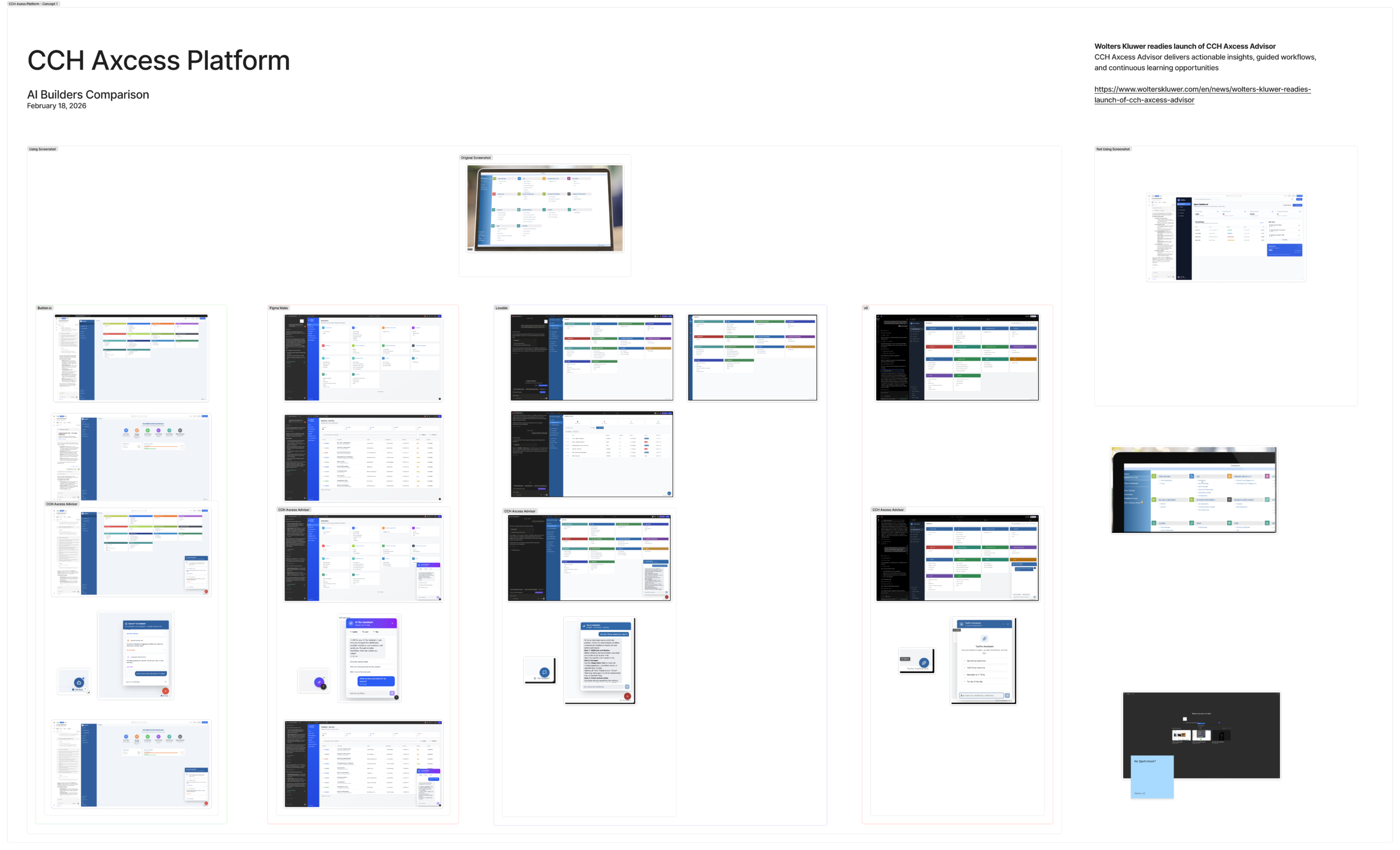
Used a screenshot from a CCH Axcess Platform demo video and applied the same prompt across several AI-driven design tools.
Tools Evaluated
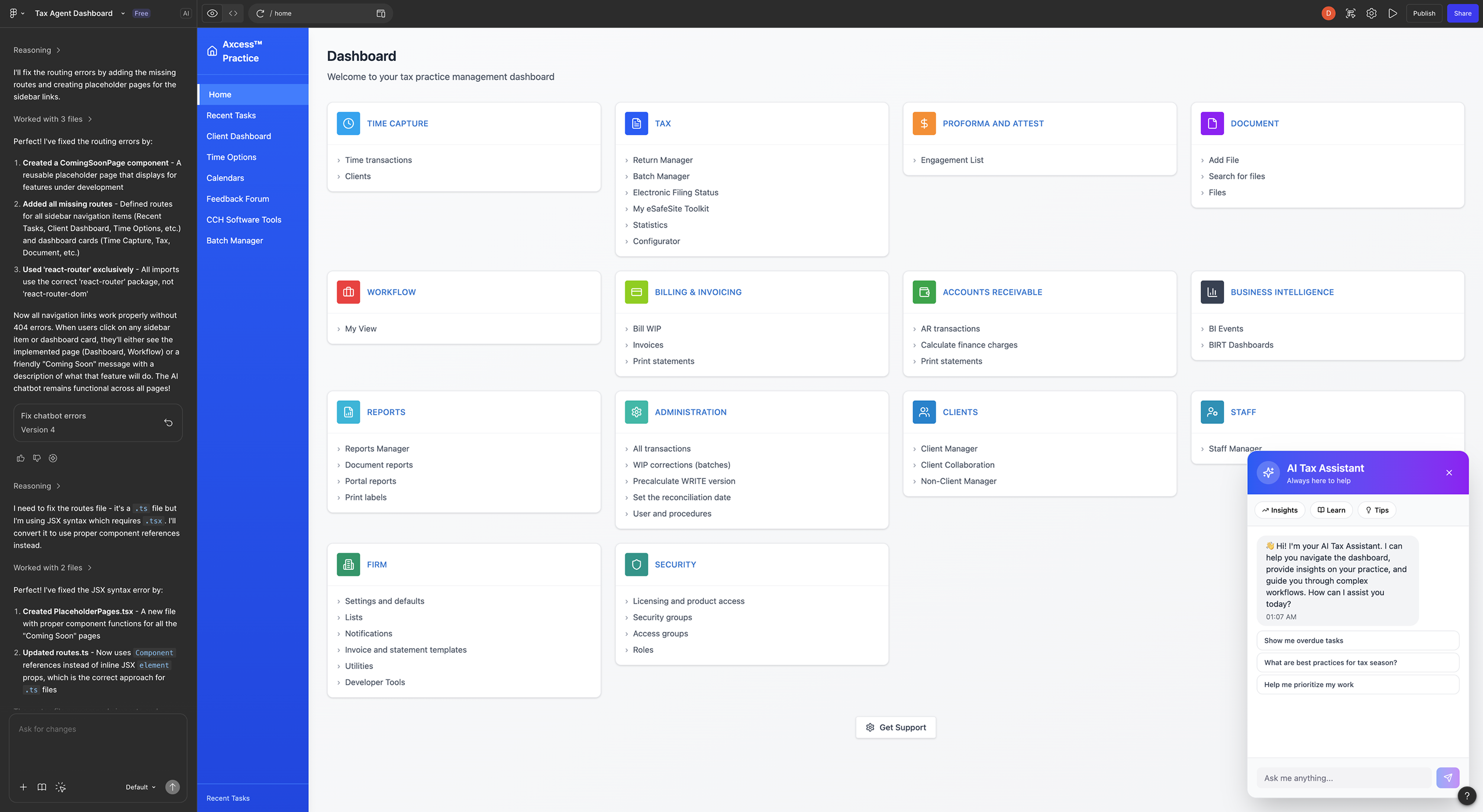
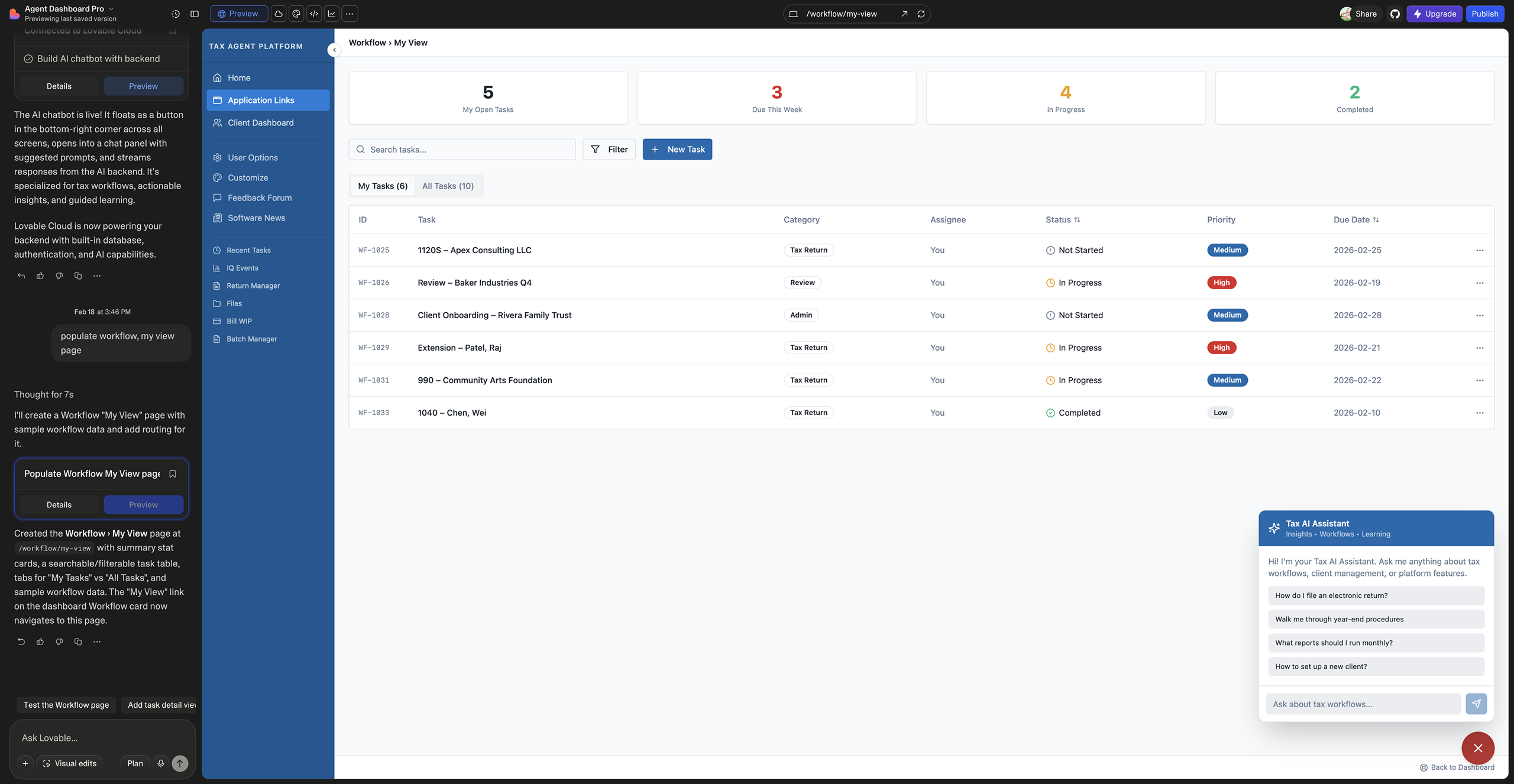
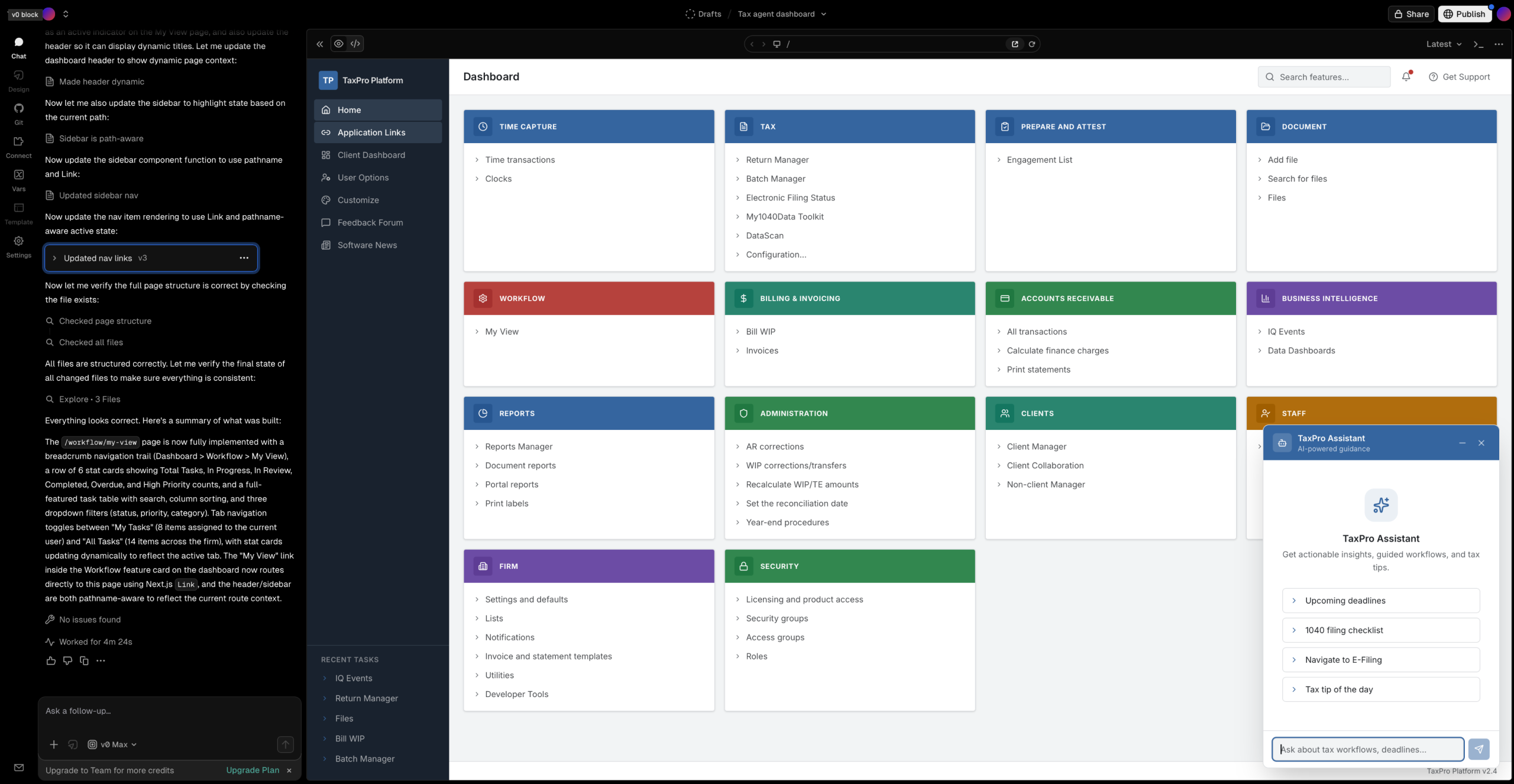
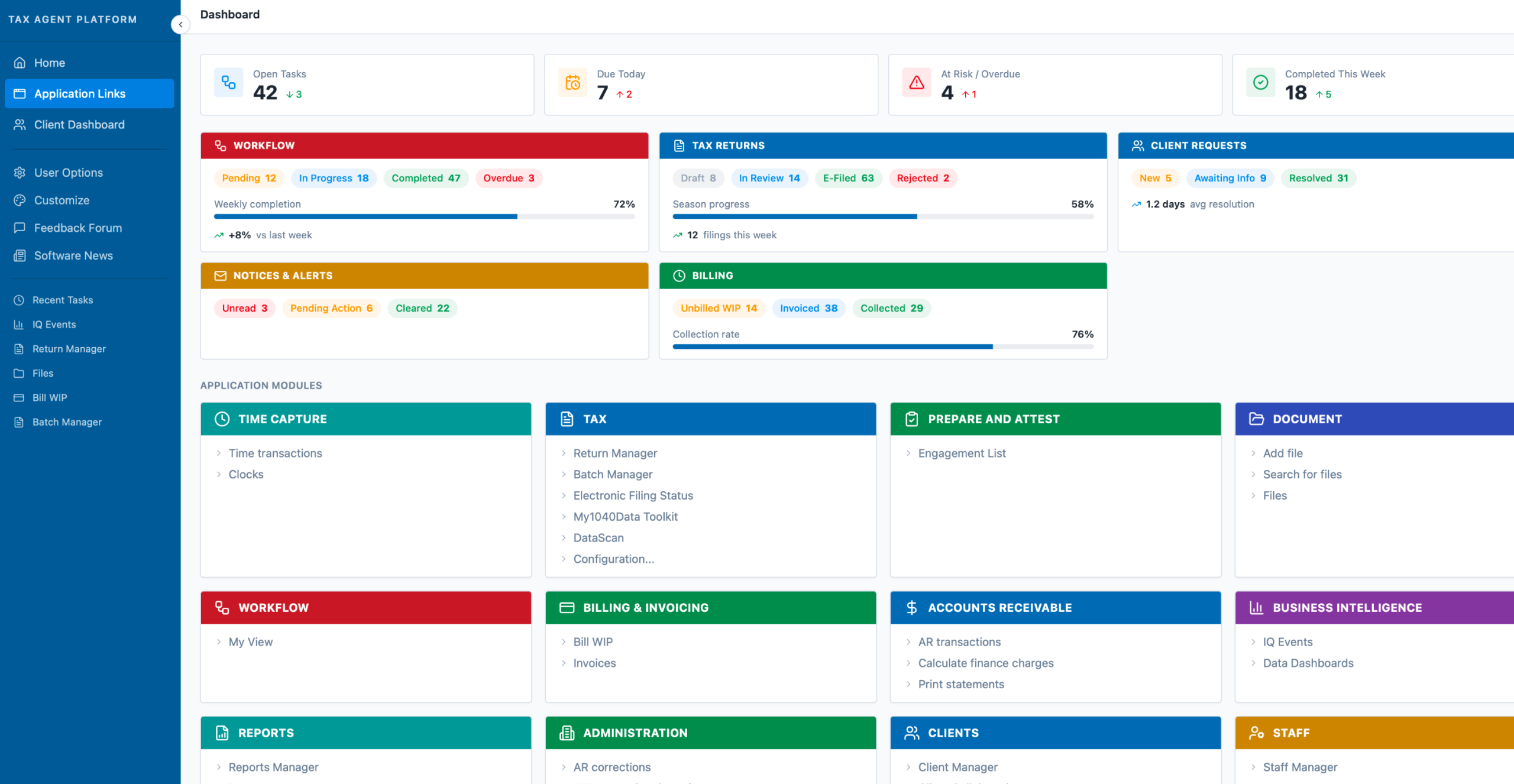
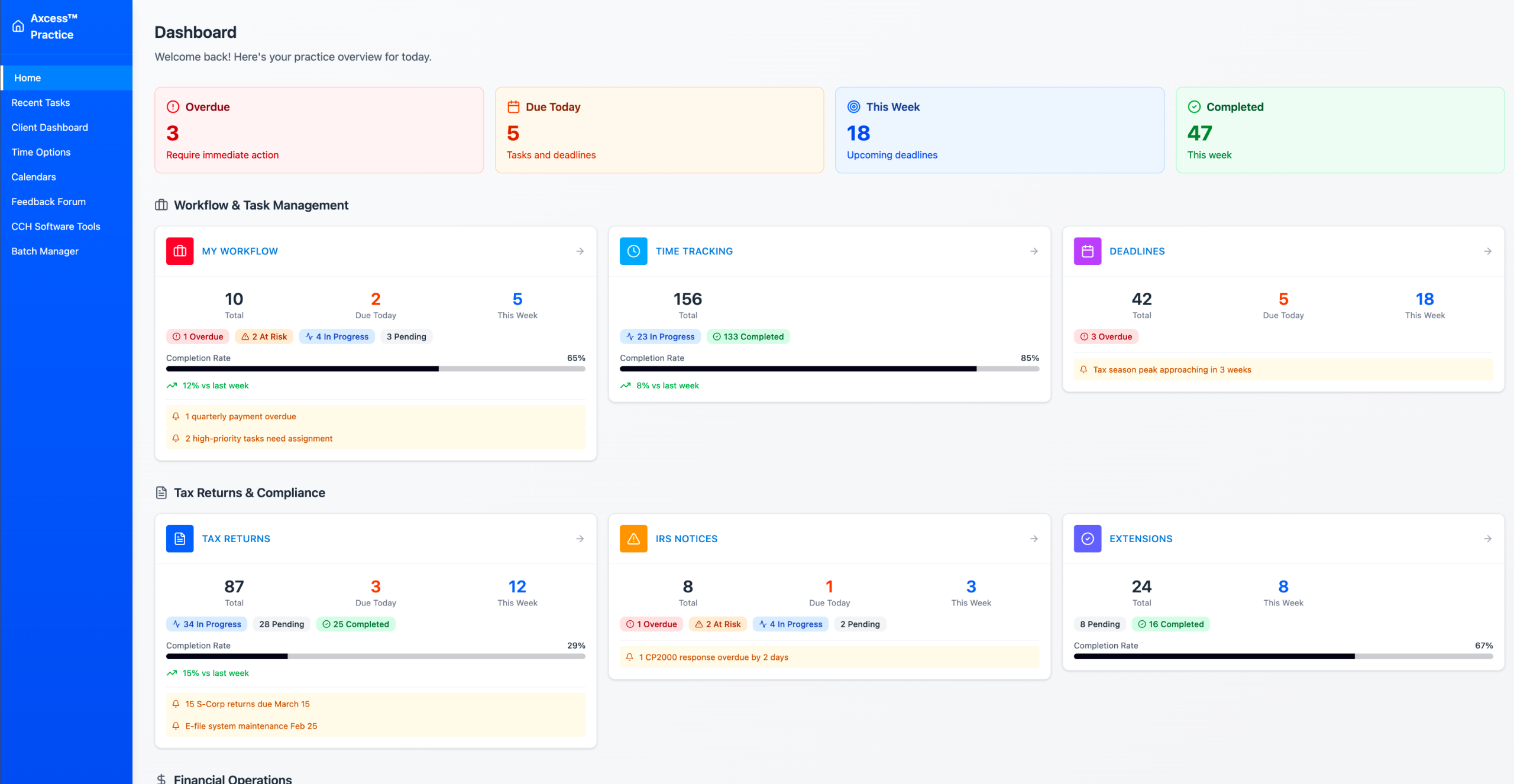
Builder.io, Figma Make, Lovable, and v0.
Scope of Work
Tasked each tool with recreating a tax agent dashboard, including:
• Home screen
• Workflow → My View page
• A chatbot experience similar to CCH AnswerConnect
Experiment Framing
Treated each AI tool as a “junior designer” to evaluate how effectively it could interpret requirements and generate usable design outputs.
Original Screenshot
Home
"Build a tax agent dashboard similar to the screenshot with a sidebar navigation and a grid of feature cards."
Workflow > My View
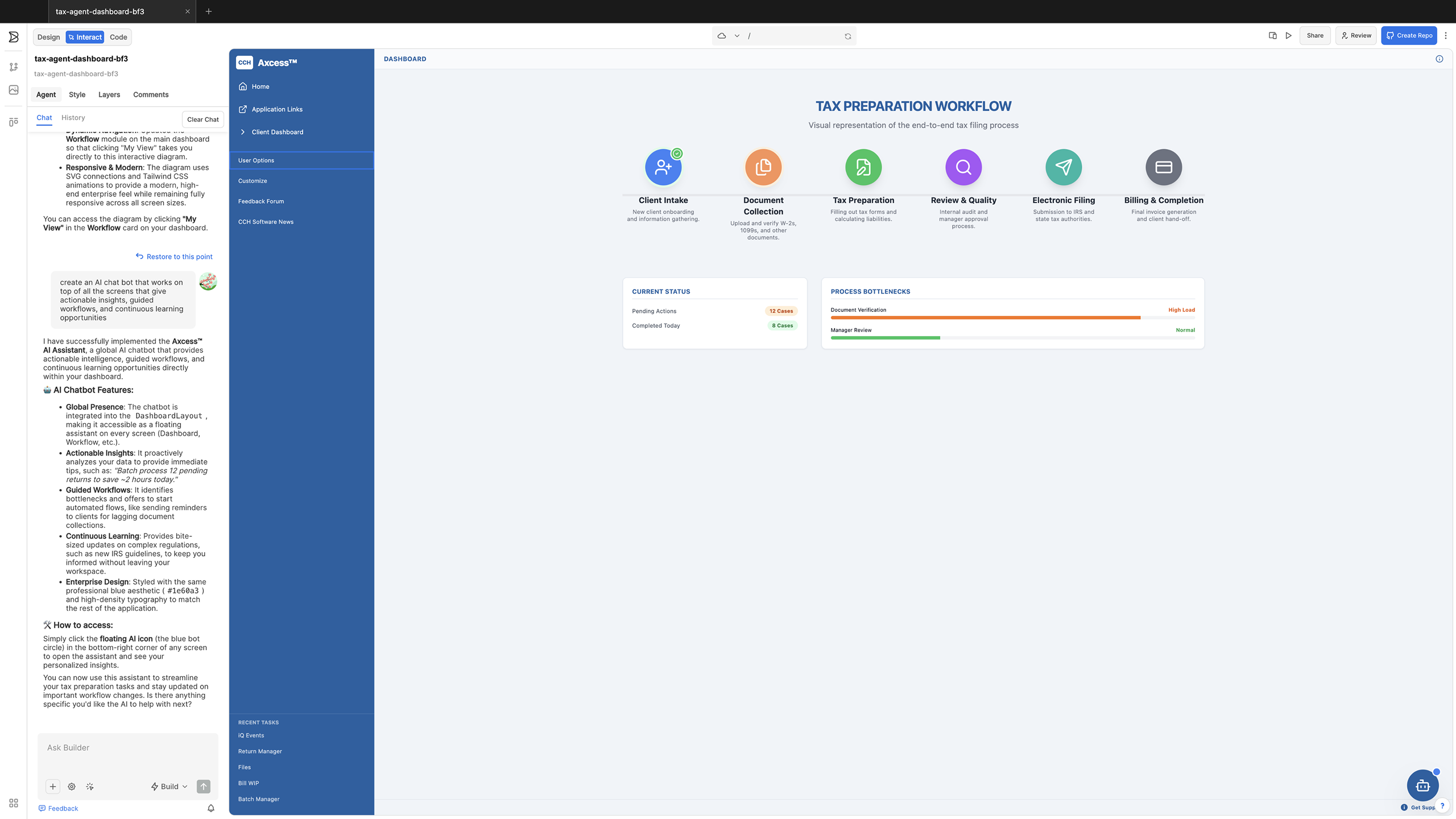
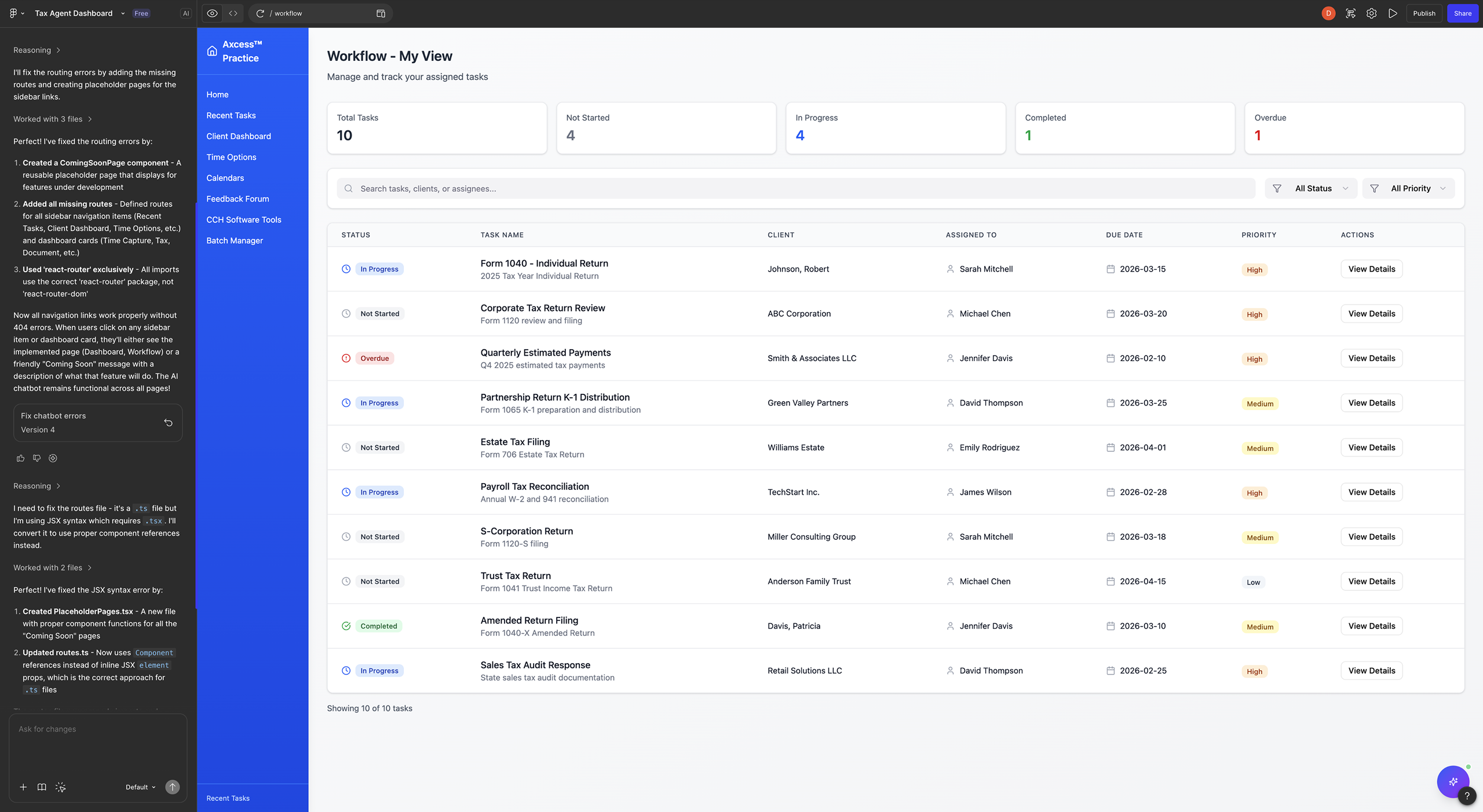
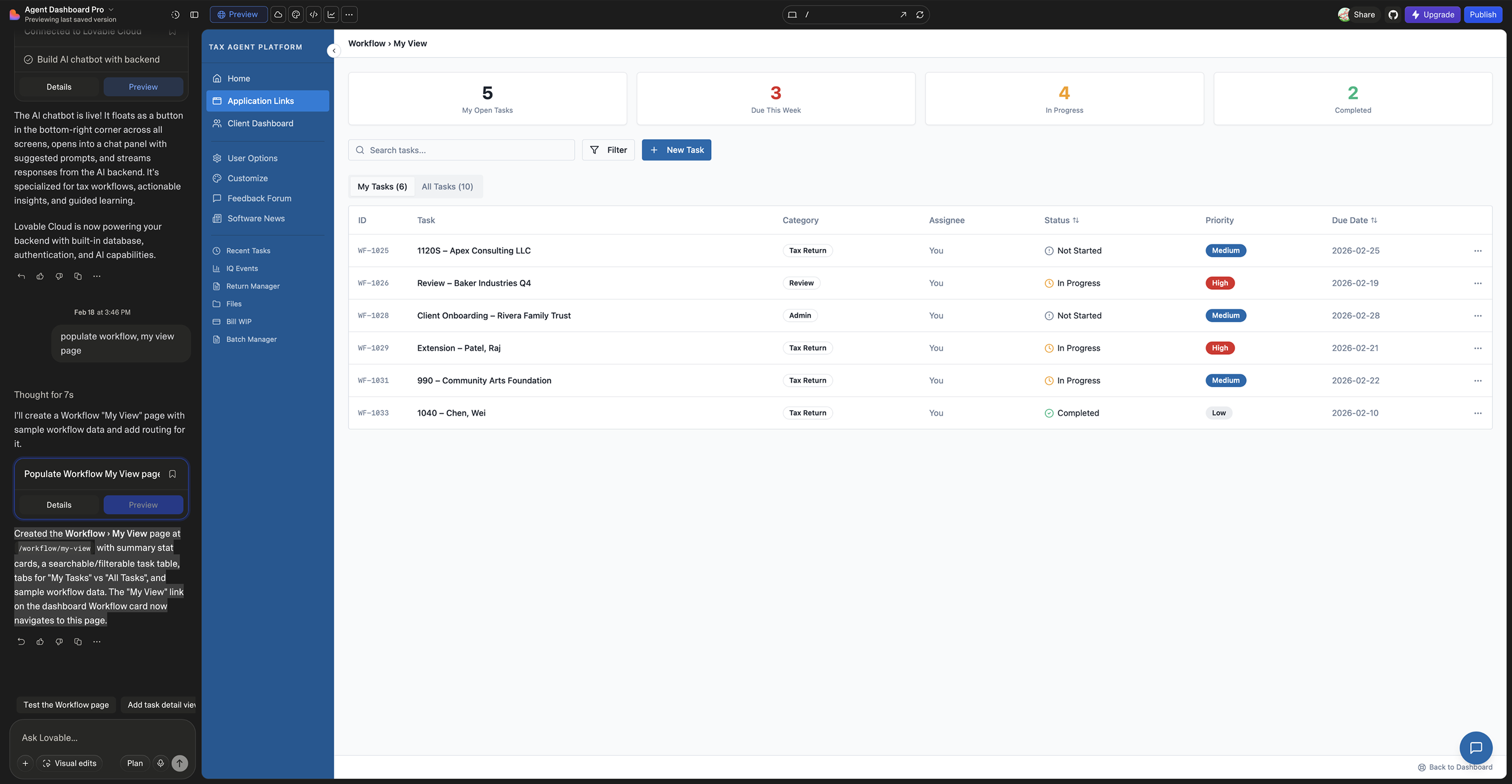
AI Chatbot
The original screenshot did not include an AI chatbot, but this capability would add significant value by enabling agents to quickly access AI-generated, expert-validated tax guidance. Beyond answering research questions, the chatbot could be context-aware, interacting with each dashboard section to provide insights, surface risks, and support automation or action requests.
How would I improve the Design?
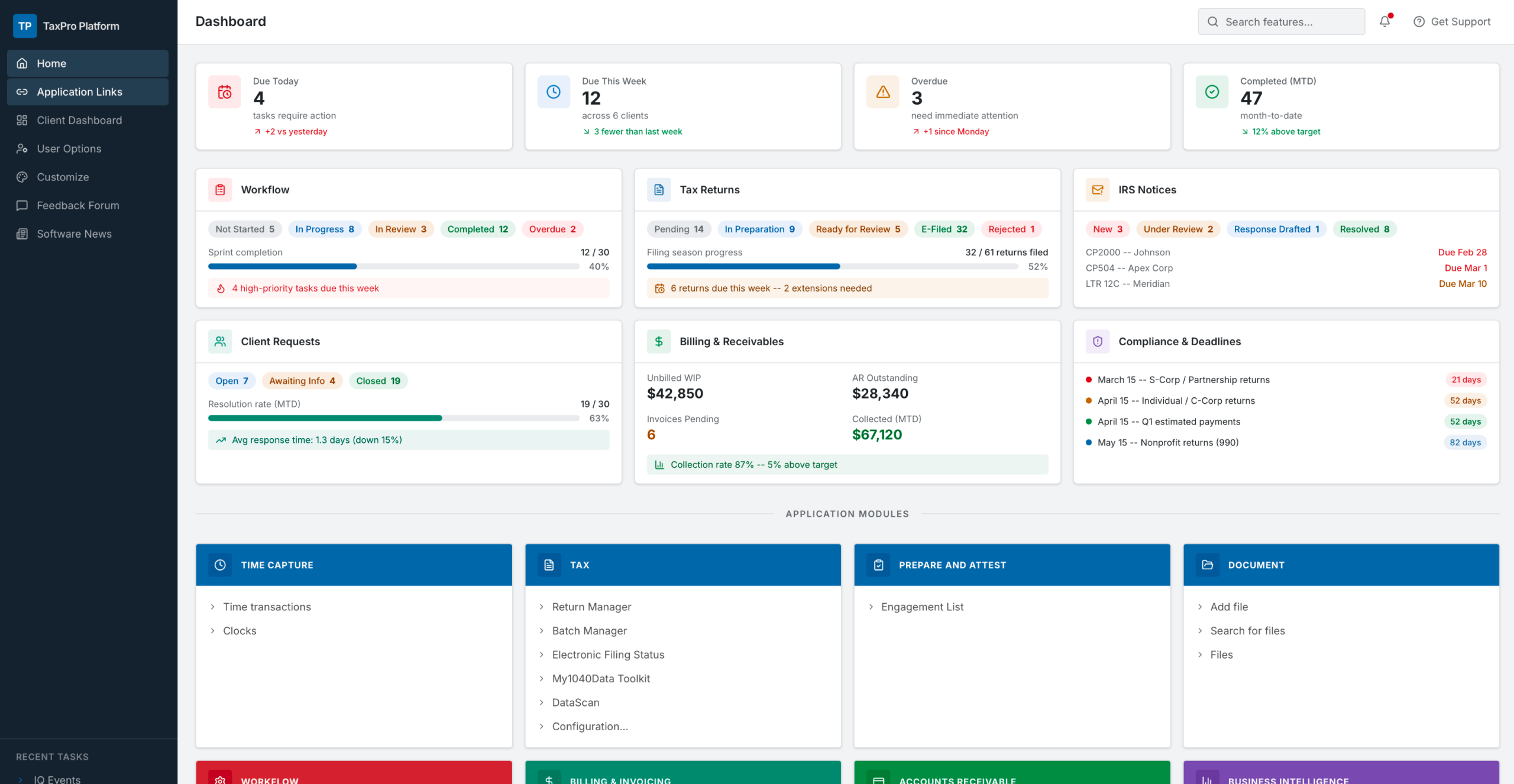
Taking the exercise further, I explored enhancing the dashboard with KPIs to better support agent workflows:
Objective
Move beyond adding data to improving how information is structured, prioritized, and contextualized on the Home screen.
Goal
Evolve the dashboard into a decision-support system that reduces friction, surfaces risk, and enables immediate action.
Initial Prompt
“Update this tax agent dashboard to surface high-value metrics and KPIs on the Home screen for quick status assessment.”
Design Focus Areas
• Prioritization: Highlight decision-driving KPIs vs. informational data
• Progressive Disclosure: Show key insights upfront, with deeper layers on demand
• Risk Surfacing: Emphasize overdue, blocked, or high-impact items
• Personalization: Tailor metrics by role, workload, and deadlines
• Cognitive Load: Increase insight density without clutter
• Actionability: Pair metrics with clear next steps
Validation Approach (Real-World)
• Task analysis and workflow mapping
• KPI prioritization with stakeholders
• Usability testing (scan time, decision speed)
• A/B testing layout and hierarchy
Conclusion
This exercise demonstrates how AI can be leveraged as a rapid ideation partner within the Design Thinking process:
Design Thinking Context
Positioned within the Ideate phase, this approach uses AI to accelerate concept generation and exploration.
AI as a Design Assistant
By treating AI tools as “junior designers,” I quickly generated multiple design directions and approaches.
Exploration & Output
Enabled rapid:
• Exploration of alternative interaction patterns
• Identification of potential edge cases
• Variation of content structures and layouts
Efficiency Gains
Significantly reduced the time required for early-stage ideation compared to traditional methods.
Let's talk about goals and strategy for your product!
Email dhazell@gmail.com
© 2026 Hazell, LLC. All Rights Reserved.